TaxiDex: Book a Taxi
The booking app for your passengers
Free on Google Play. Your passengers enter your company code once, then book a ride now or for later with the price shown first, watch the driver come to them on the map, message the driver and rate the trip. Every booking lands in your TaxiDex console.
Free to install · phones and tablets.
Shown here: the real app, booking a ride in Albuquerque on a TaxiDex demo fleet.
Where to?
Getting started
Three steps to the first ride
What a passenger does the first time they open the app. After that it opens straight on Where to?
1
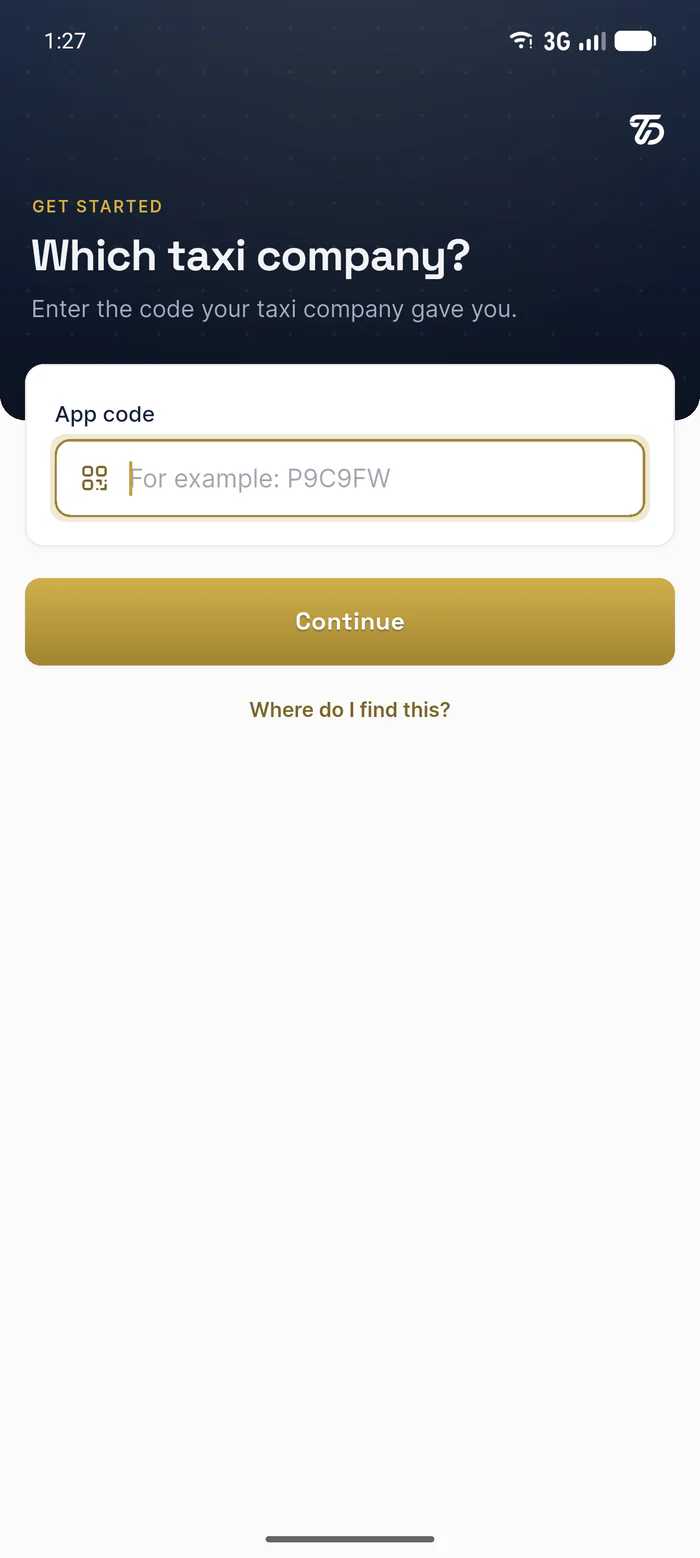
Enter your company code
The first time they open the app, passengers type the code your taxi company gives them. It links the app to your fleet: your prices, your currency, your drivers. The app asks once and remembers it.
2
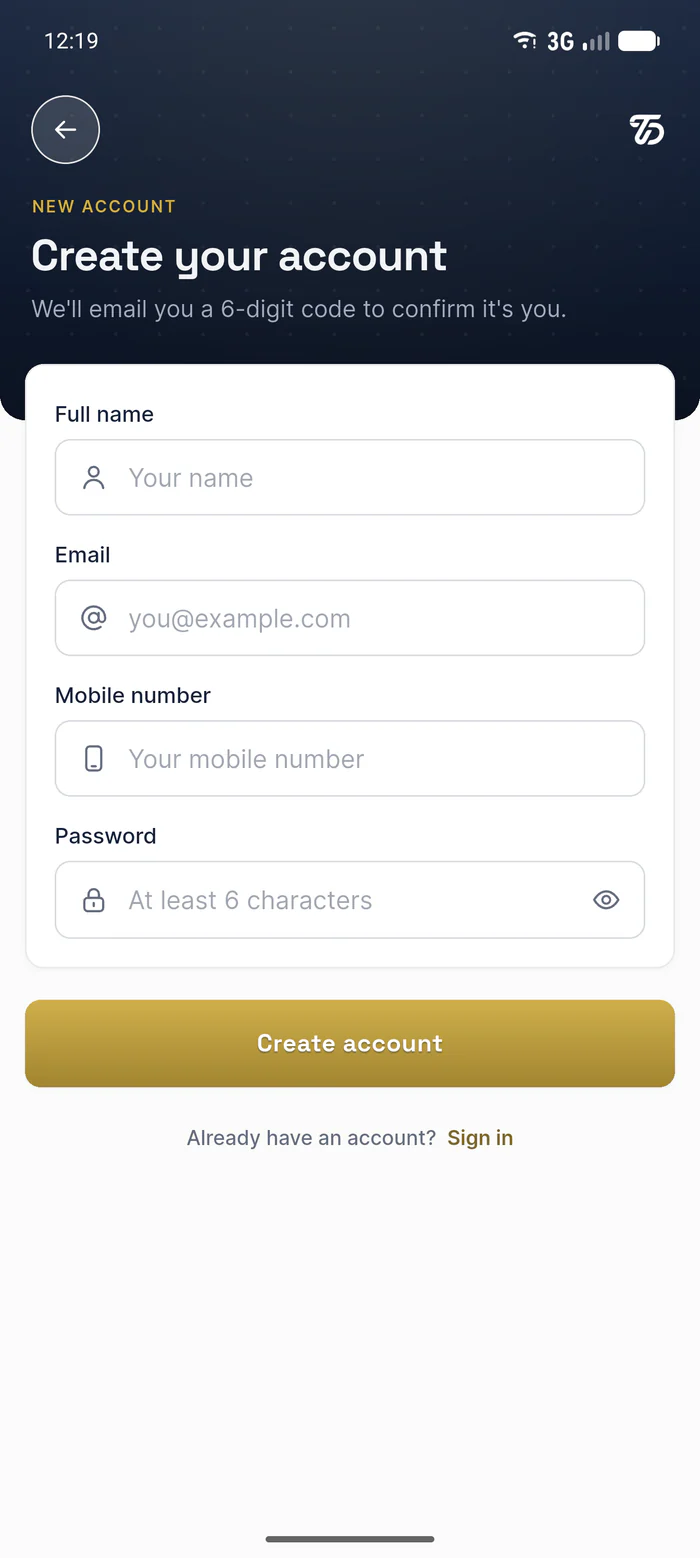
Create an account
Name, email, mobile number and a password. A 6-digit code sent to their email confirms the address, and the same kind of code resets a forgotten password.
3
Book the first ride
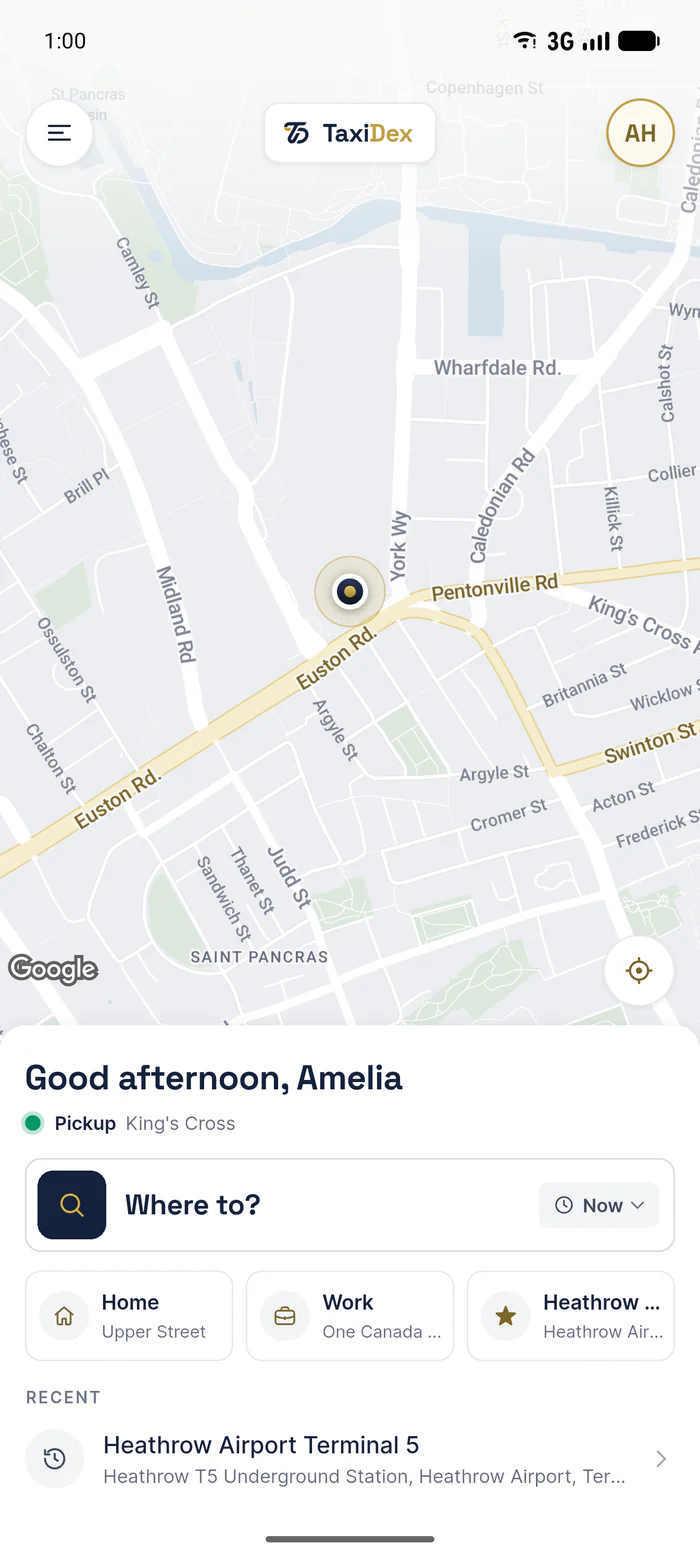
From then on the app opens on Where to?, with the pickup set from where they stand. Home, Work and recent trips are one tap away.
Where do passengers find your code? We give you your company code when your fleet is set up. Put it on your website, receipts and booking confirmations: that is where the app tells passengers to look. With your own branded app the code is built in.
White-label, explained
What a white-label taxi app means
A white-label taxi app is a passenger booking app that carries your fleet's name, logo and colours instead of the software maker's. Your passengers install your app, book your cars and come back to you, not to a ride-hail marketplace that also lists your competitors.
With TaxiDex the app and the dispatch console are one system. The price a passenger sees comes from your tariffs, the booking goes straight to your dispatchers, and the driver who accepts it uses the TaxiDex driver app. There are two ways to start. TaxiDex: Book a Taxi is free on Google Play today: passengers enter your company code once and book your cars. Or we build the same app under your company name, logo and colours, with your code built in, and publish it under your own developer account.
Your branded app is part of the per-driver rate — from £7 ($9) per active driver a month — and publishing it is covered by the one-time setup; see taxi dispatch software pricing. For passengers who would rather not install anything, the online taxi booking widget takes the same bookings on your website.
One ride, screen by screen
From Where to? to the receipt
Follow one passenger through a real ride. On a large screen the phone stays put while the steps scroll past; each step shows the screen the passenger sees.
Open the app
A map, a greeting and Where to?
The app opens at the passenger's location. Home, Work and other saved places sit under the search box, and recent trips below them, so a regular journey takes two taps to book again.
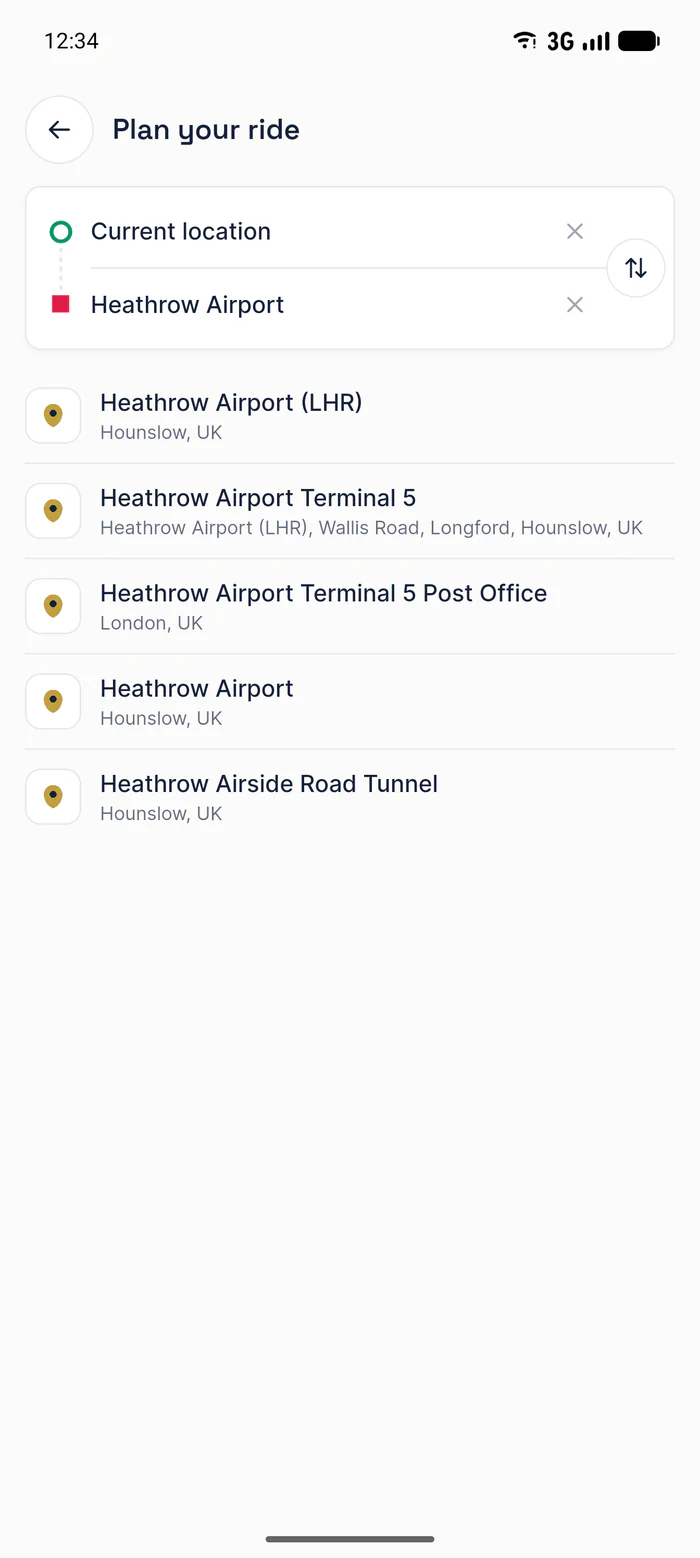
Plan the trip
Pickup and drop-off in a few letters
The pickup starts where the passenger is standing. A street, a hotel or a landmark is found as they type, and either end of the trip can be swapped or changed.
Choose the car
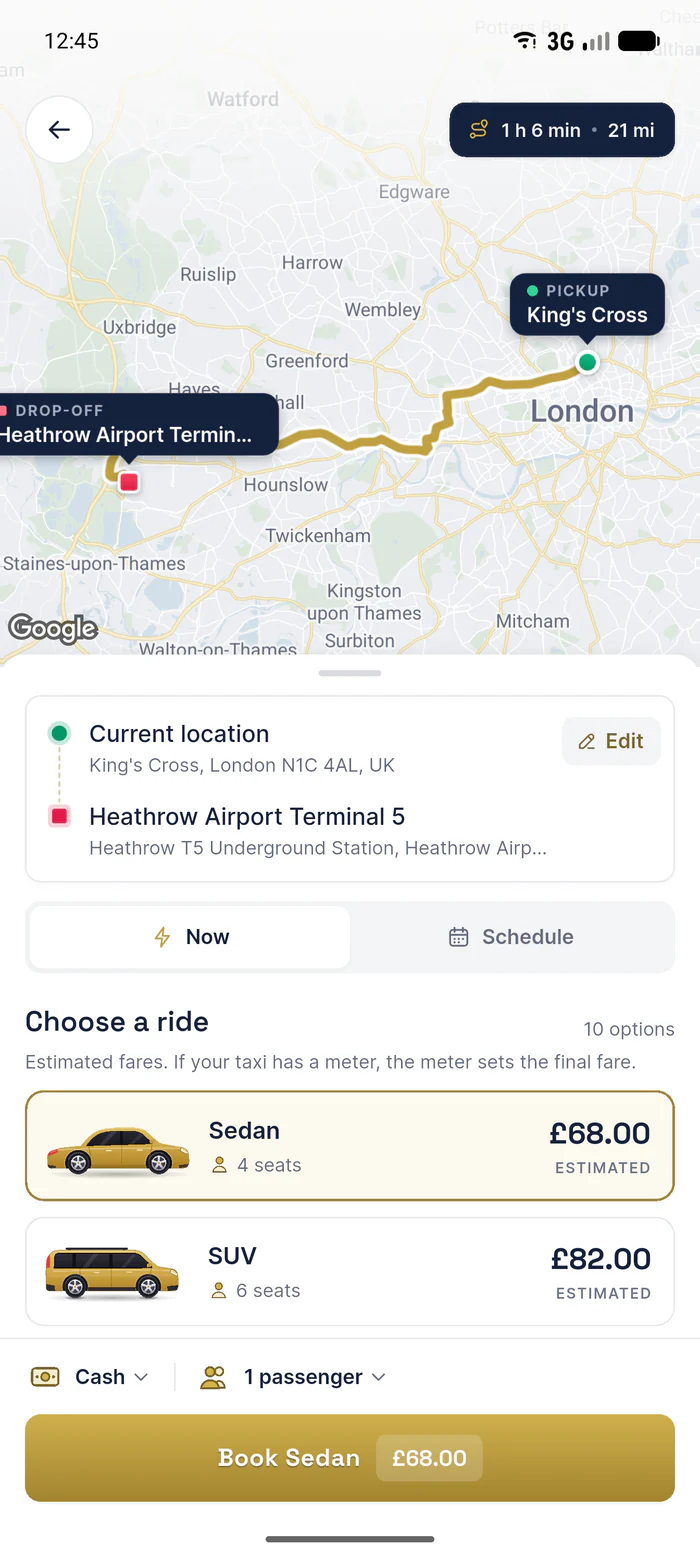
Every car type, priced before booking
The route is drawn on the map and each vehicle type the fleet runs shows its price from the fleet's own tariff, in the fleet's currency. The passenger picks how to pay, then taps Book.
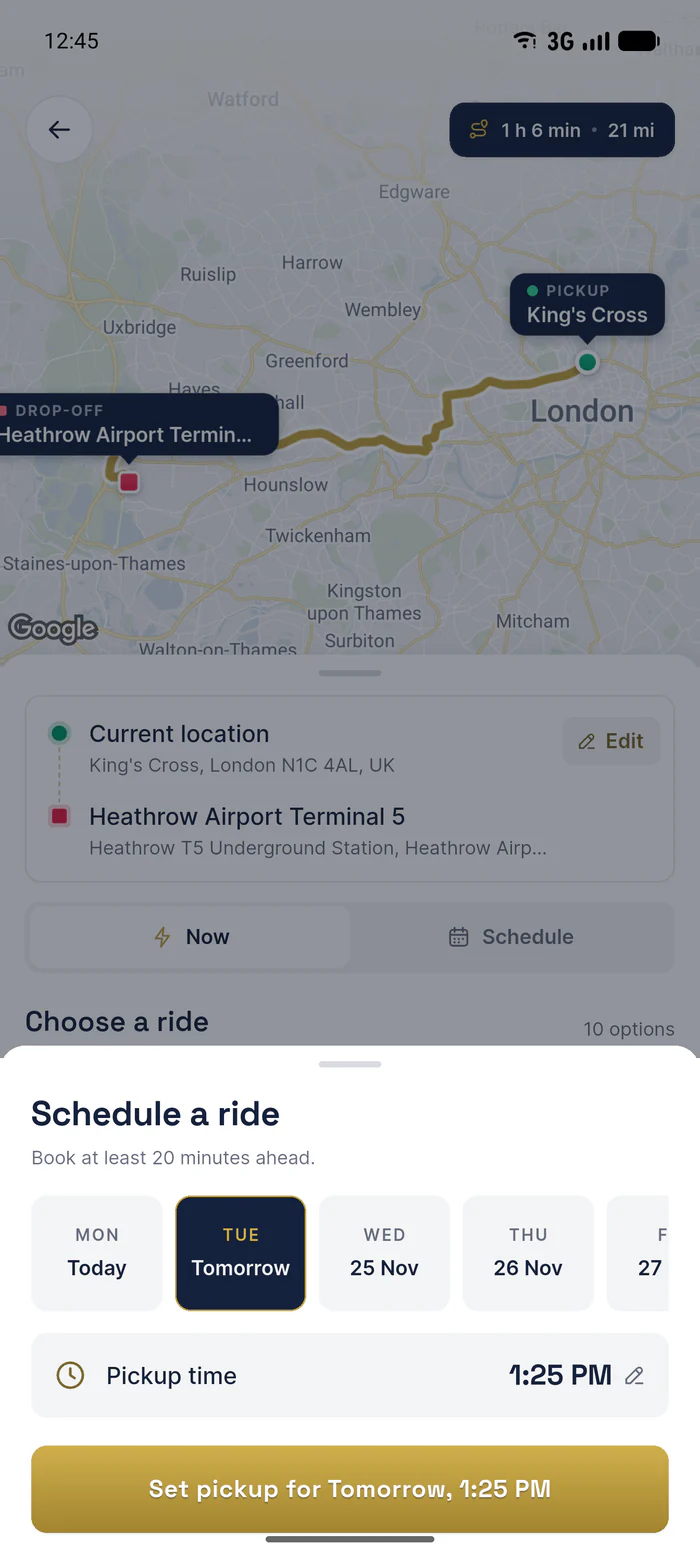
Or book for later
Today, tomorrow or next week
Schedule picks the day and the pickup time on a wheel. The job waits in your console with your pre-bookings and is dispatched when it is time.
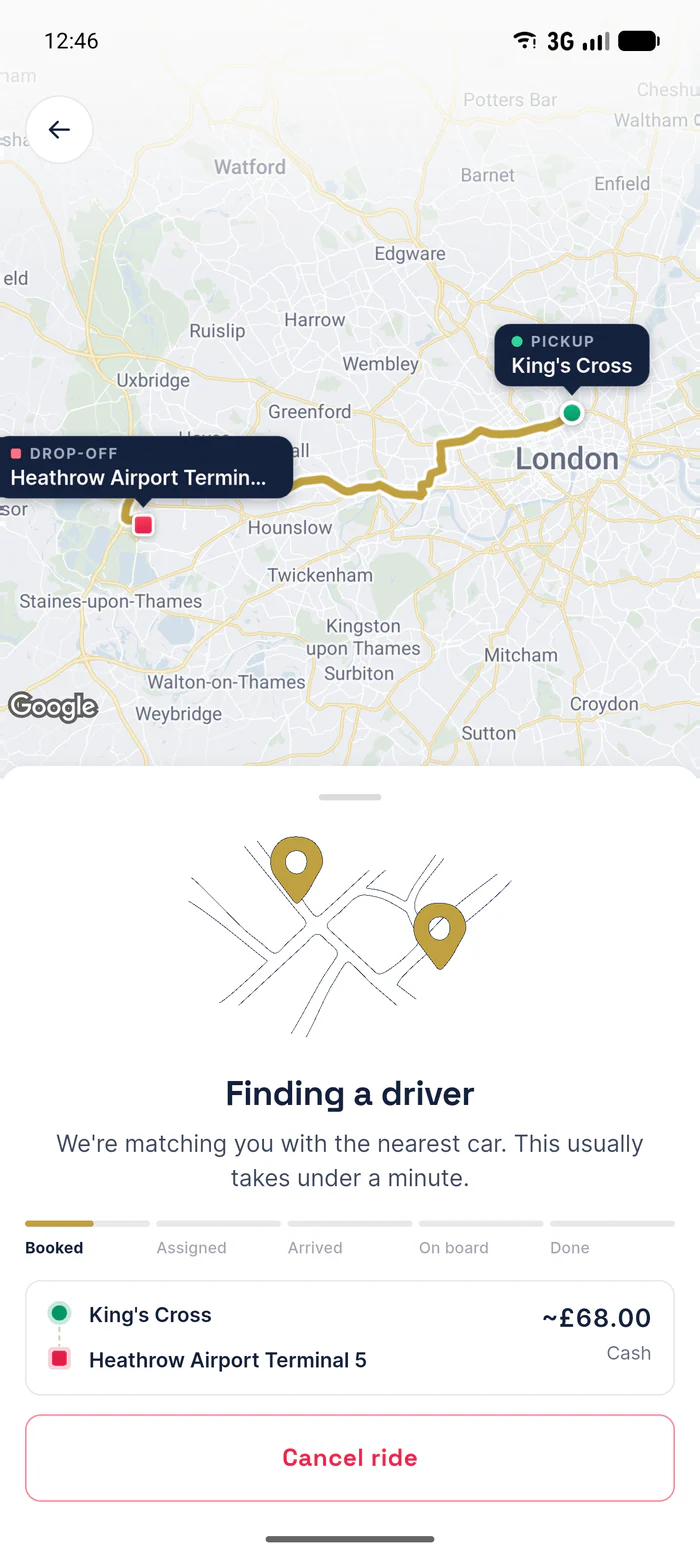
Finding a driver
The booking reaches your dispatch at once
The job lands in the fleet's TaxiDex console as a customer booking and is offered to drivers the way the fleet dispatches. The passenger watches the search and can cancel.
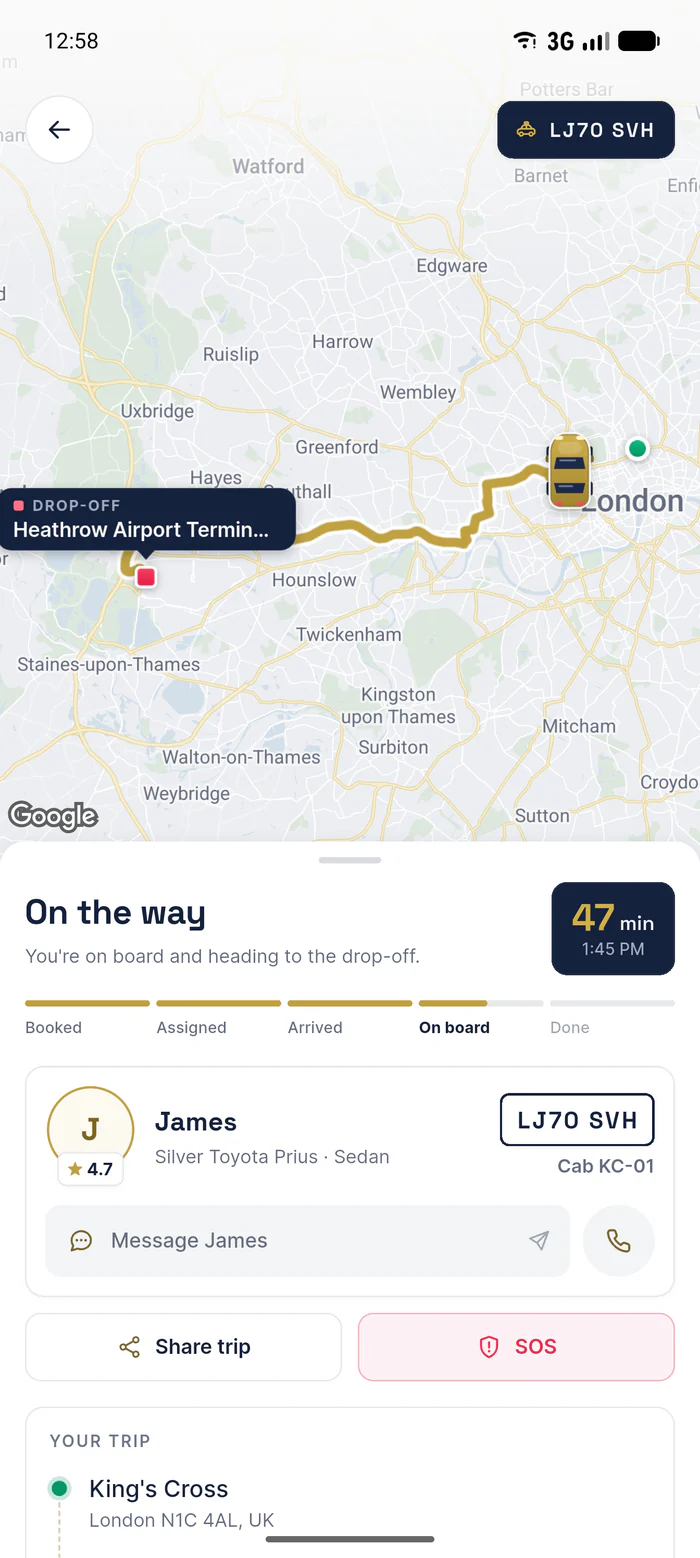
On the way
The real car, on the real map
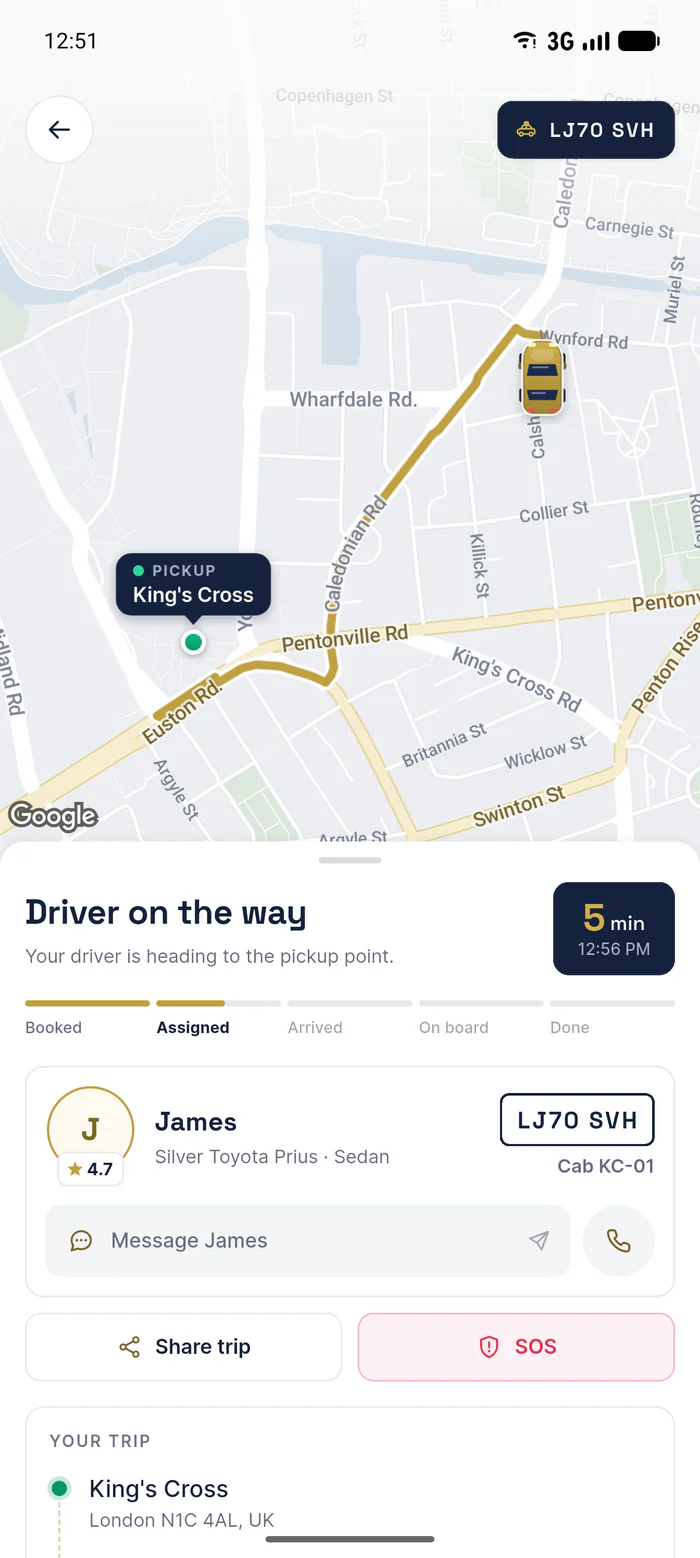
When a driver accepts, the passenger sees the driver, the car and its plate, as much as the fleet chooses to show, and the car moving towards them with the minutes to arrival. Share trip and SOS sit on the same card.
Message the driver
Chat, with quick replies
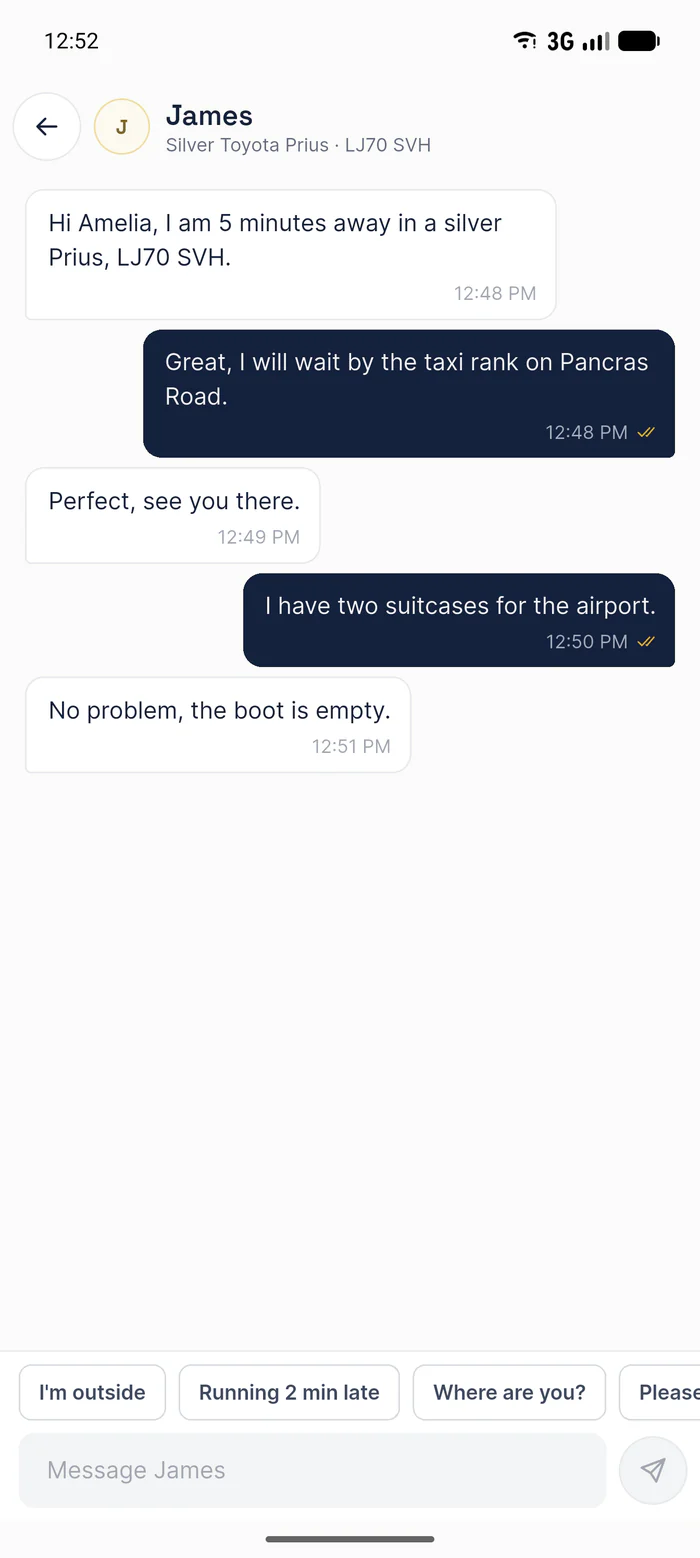
Messages go both ways during the ride. One tap sends a ready reply such as I'm outside or Running 2 min late, and a call is a tap away when the fleet allows it.
On board
Every stage, as it happens
Booked, assigned, arrived, on board and done each show on the progress bar and arrive as a notification. During the ride the route to the drop-off stays on the map.
Trip done
The fare, then a rating and a tip
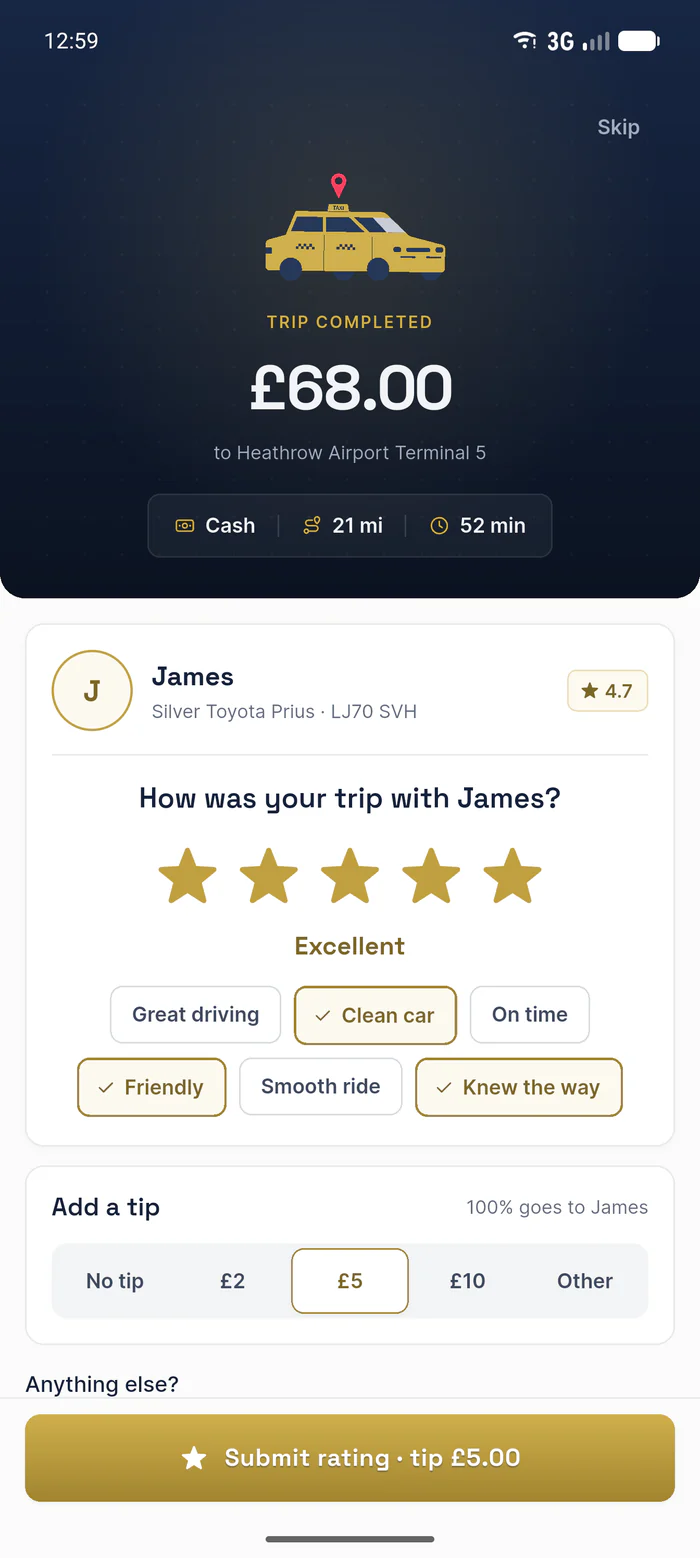
At the drop-off the passenger sees the fare with the distance and time the trip measured. They rate the driver with stars and a compliment, and can add a tip when the fleet allows tips. Every tip goes to the driver.
Afterwards
A receipt, and every ride in My rides
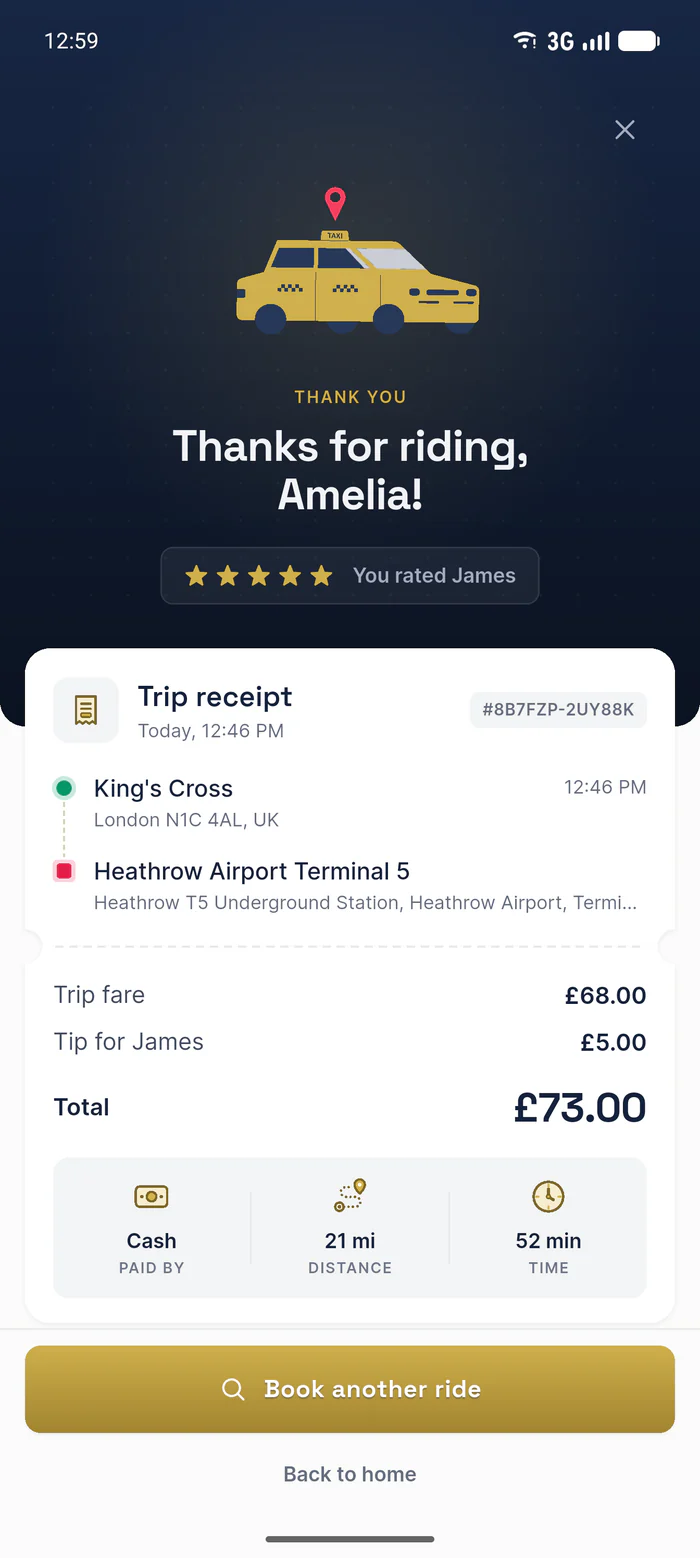
A thank-you with the trip receipt: fare, tip, route, distance and time. The ride then sits in My rides, ready to book again.
Open the app · A map, a greeting and Where to?
What is in the app
What a passenger expects, nothing they have to learn
Nine things the app does, each one in the screens on this page. The options that are yours to decide, such as tips, payment methods and what passengers see of the driver, are set in your console.
Book now or later
Every vehicle type the fleet runs, each priced from the fleet's tariff before the passenger commits. Ride now, or pick a day and a pickup time and the job waits in your console as a pre-booking.
- A price for every car type
- Now, or a scheduled pickup
- Pickup from GPS or a search
Live driver tracking
From the moment a driver accepts, the car moves on the map from the driver's own GPS, with the minutes to arrival counting down. The driver's name, car and plate show as the fleet allows.
- The car on the map, live
- Driver, car and plate
- Minutes to arrival
Notifications at every stage
Assigned, on the way, arrived, on board and completed, plus an almost-there notice. One switch in Settings turns the ride and message alerts off, and on again.
- One notification per ride stage
- Almost there, two minutes out
- One switch in Settings
Chat and calls with the driver
Messages go both ways during the ride, with quick replies such as I'm outside. The passenger can call the driver or the vehicle, depending on what the fleet allows.
- Two-way chat during the ride
- Quick replies
- Calls, under the fleet's phone rules
Saved places and My rides
Home, Work and any other place saved once. Recent trips come back as shortcuts, and My rides keeps upcoming and past rides with the full details and a Book this trip again button.
- Home, Work and favourites
- Book again in two taps
- Upcoming and past rides
Ratings, tips and receipts
The passenger rates every trip with stars and a compliment and can add a tip when the fleet turns tips on. The receipt shows the fare, the tip and what the trip measured.
- Stars and a compliment
- Tips, when the fleet allows them
- A receipt for every trip
Pay your way
Cash, card in the car, a voucher or an e-ticket: the passenger chooses on every booking, from the methods your fleet accepts. The app shows the price first; payment is settled with the driver.
- Cash or card in the car
- Vouchers and e-tickets
- Only the methods you accept
Safety on every ride
Share trip sends the ride to someone the passenger trusts. Emergency SOS asks once, then sends the passenger's location to your company.
- Share the trip
- SOS with the passenger's location
- Your phone and email under Support
Light, dark or automatic
Passengers pick the look from small pictures of the app, or let it follow the phone. Every screen is drawn for both, on phones and on tablets.
- Light, dark or automatic
- Phones and tablets
- Account deletion from Settings
Every screen
The rest of the app, screen by screen
Real screens from the app as it is on Google Play. Nothing on this page is a mock-up.
Before the first ride
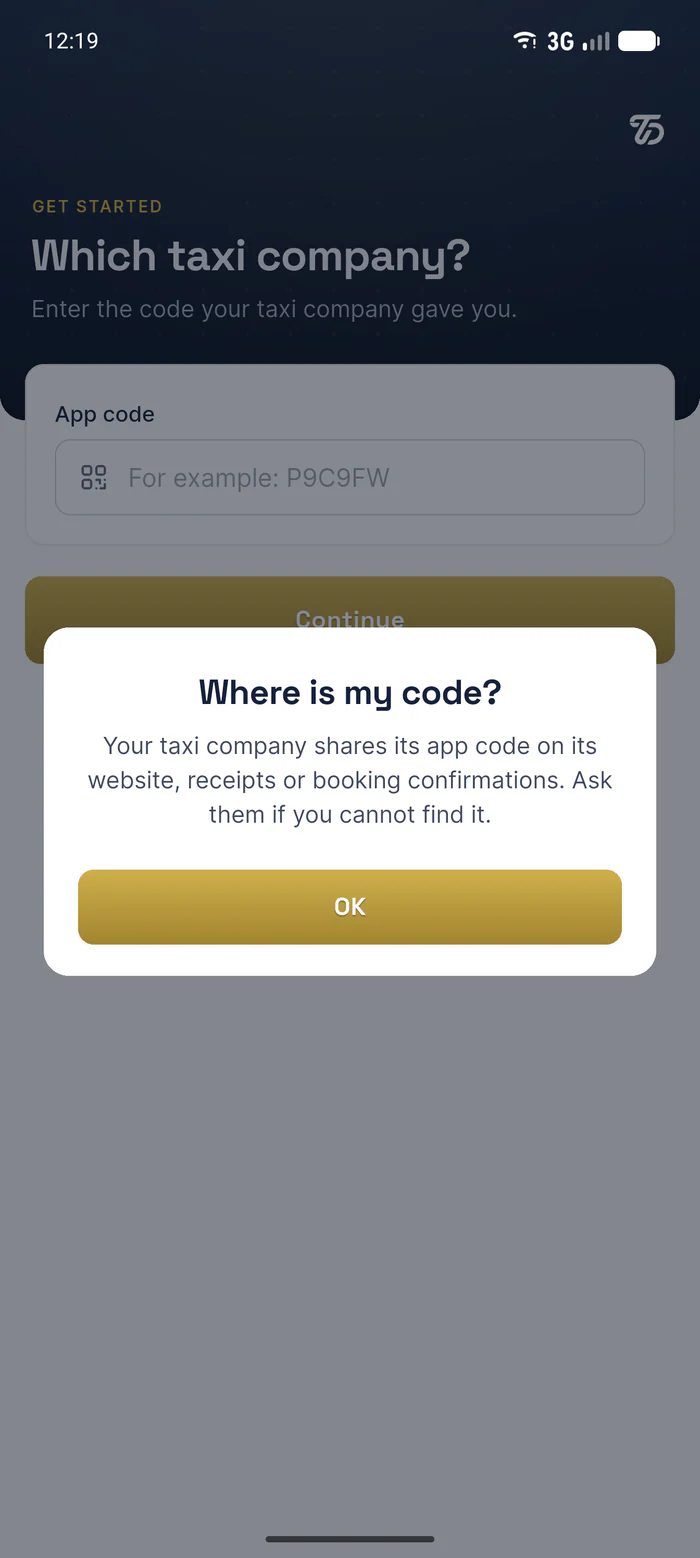
Where is my code?
The app tells passengers to look on your website, receipts or booking confirmations.
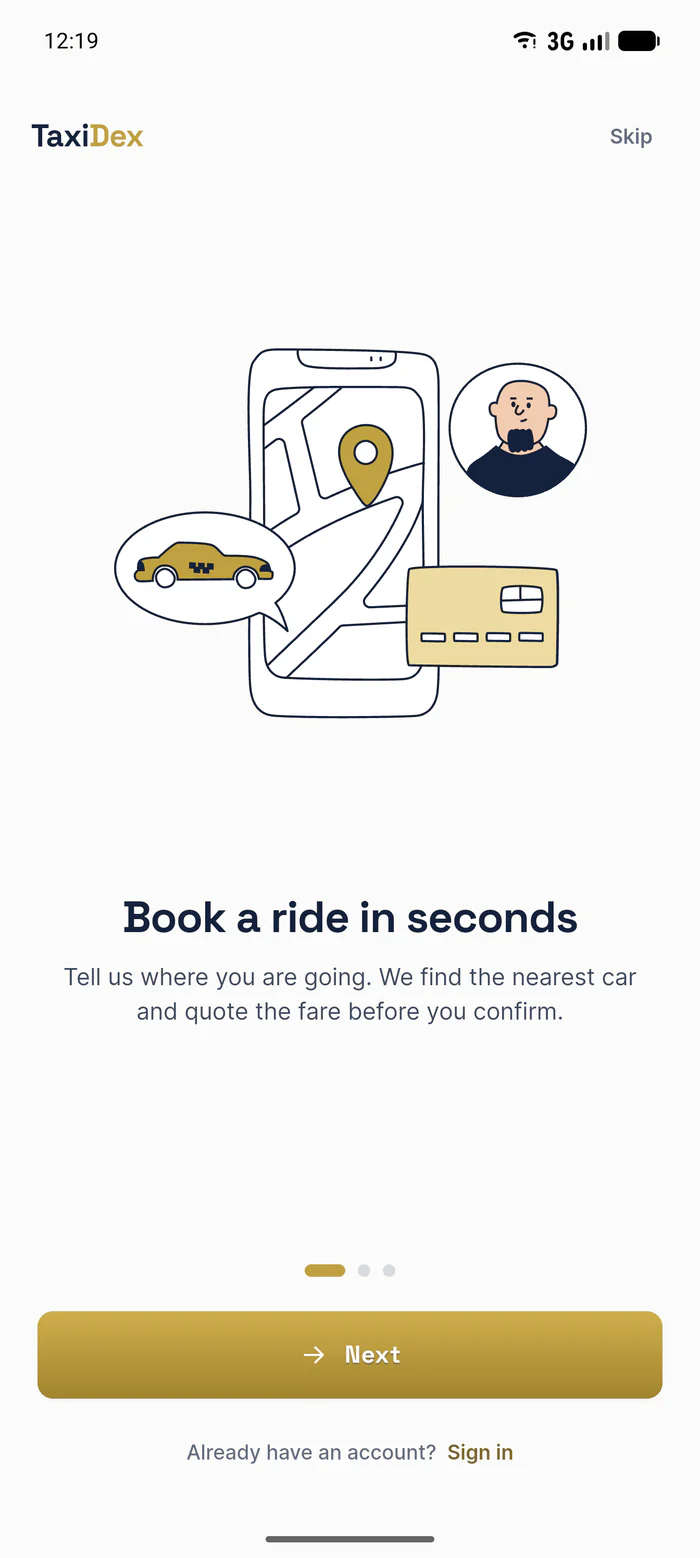
What the app does
Three short slides before sign-up: book, watch the driver, pay your way.
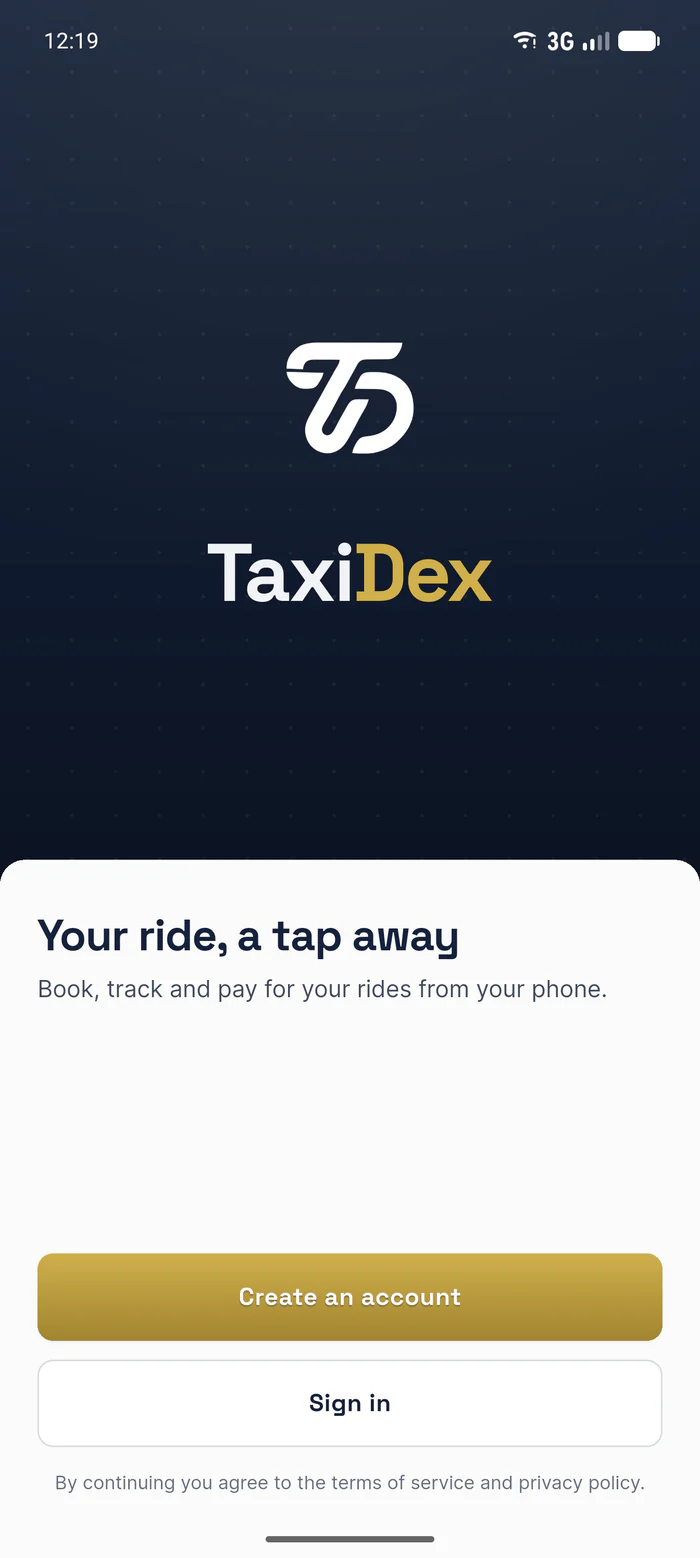
Welcome
Create an account, or sign in to an existing one.
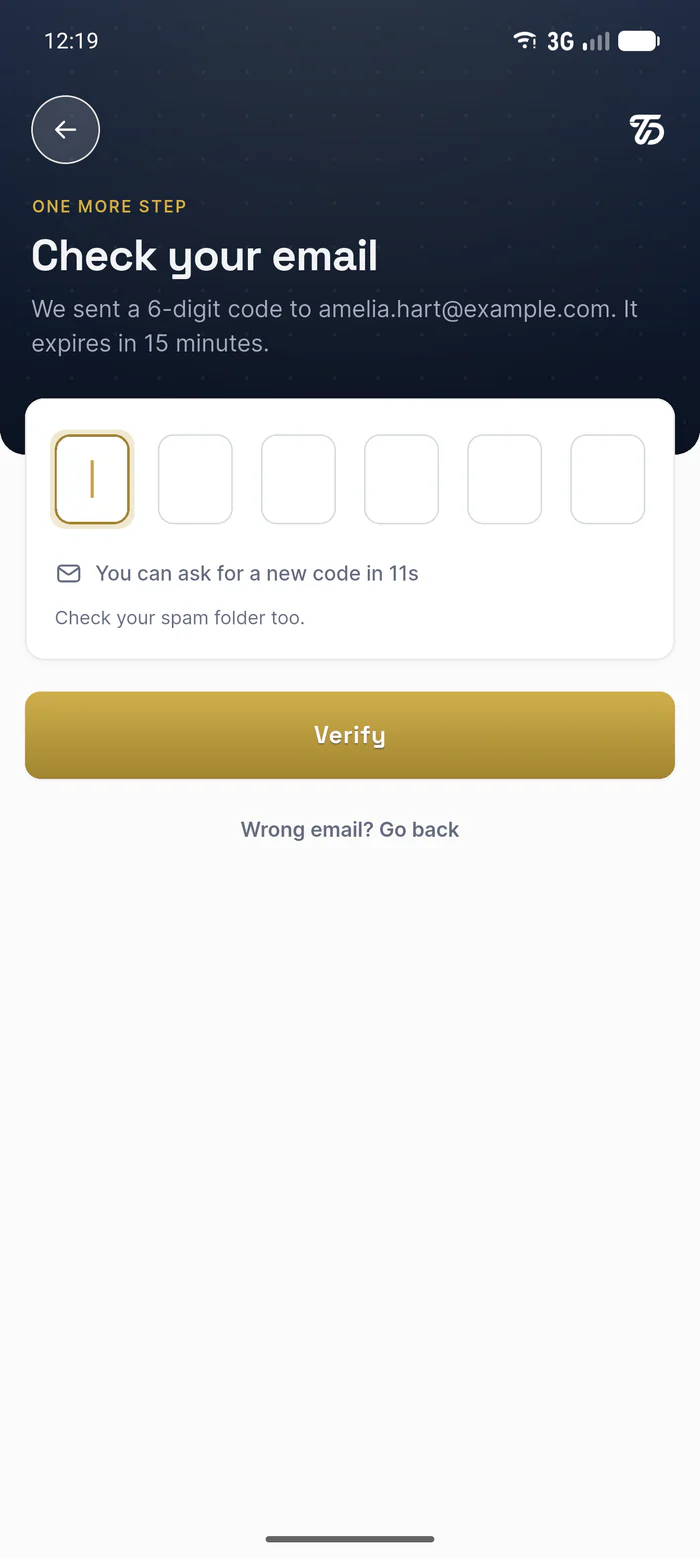
Check your email
A 6-digit code confirms the passenger's email address.
Rides and receipts
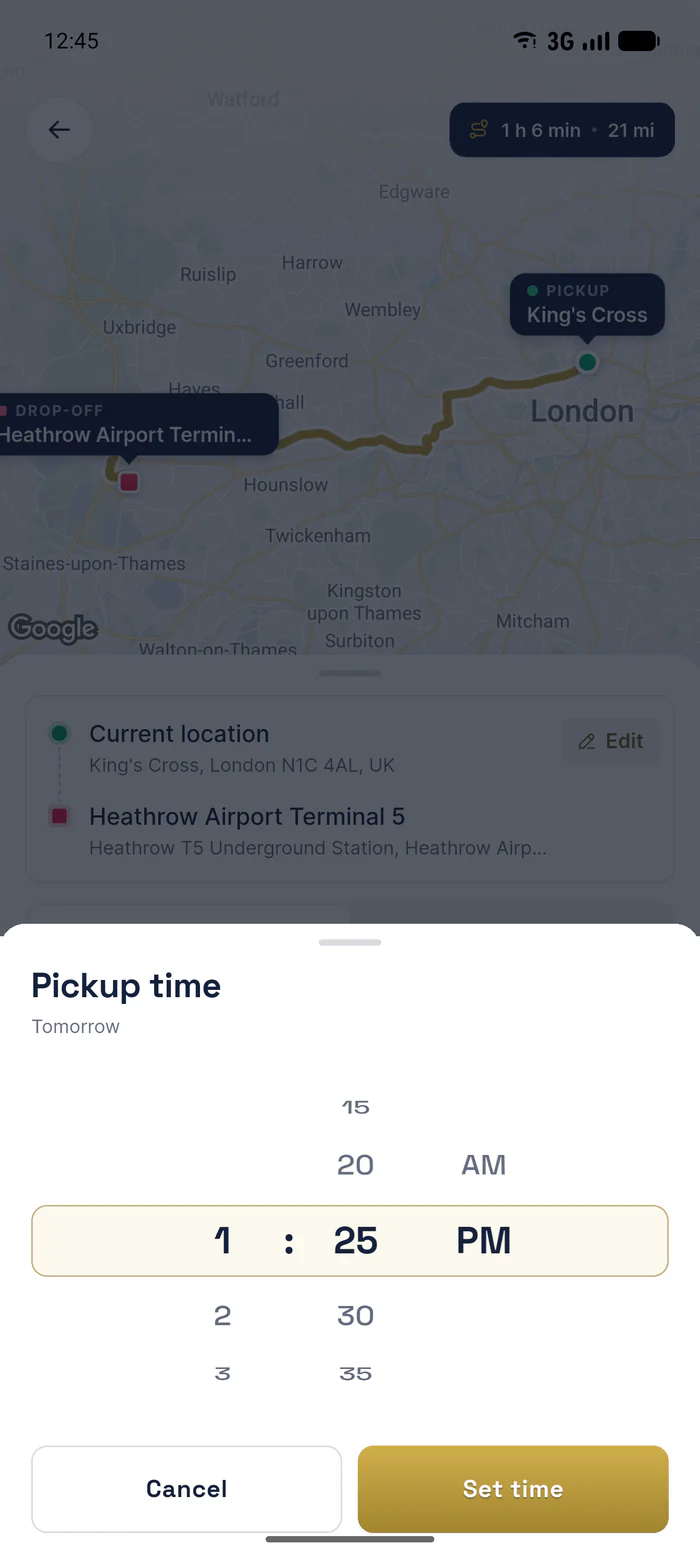
Pickup time
A wheel for the hour and minute of a scheduled ride.
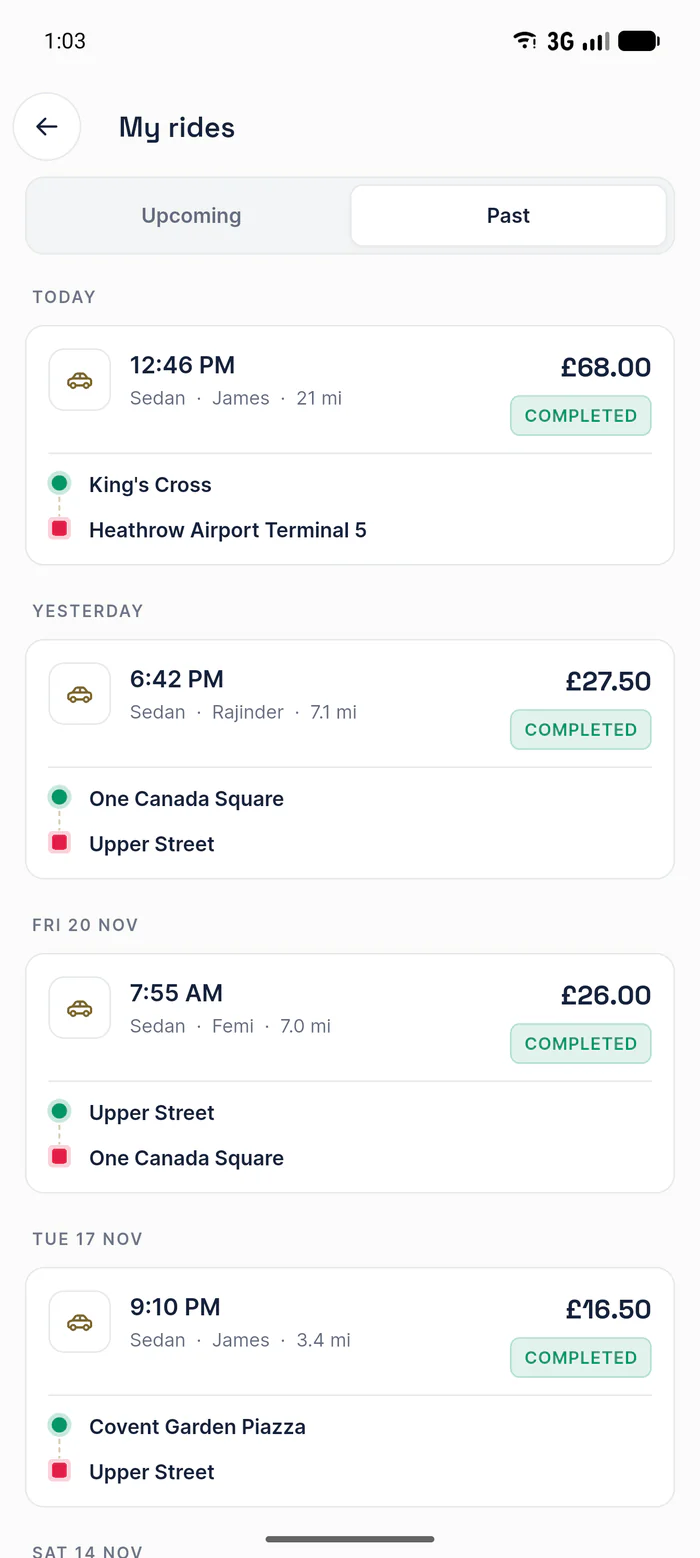
My rides
Upcoming and past rides, each with its fare and status.
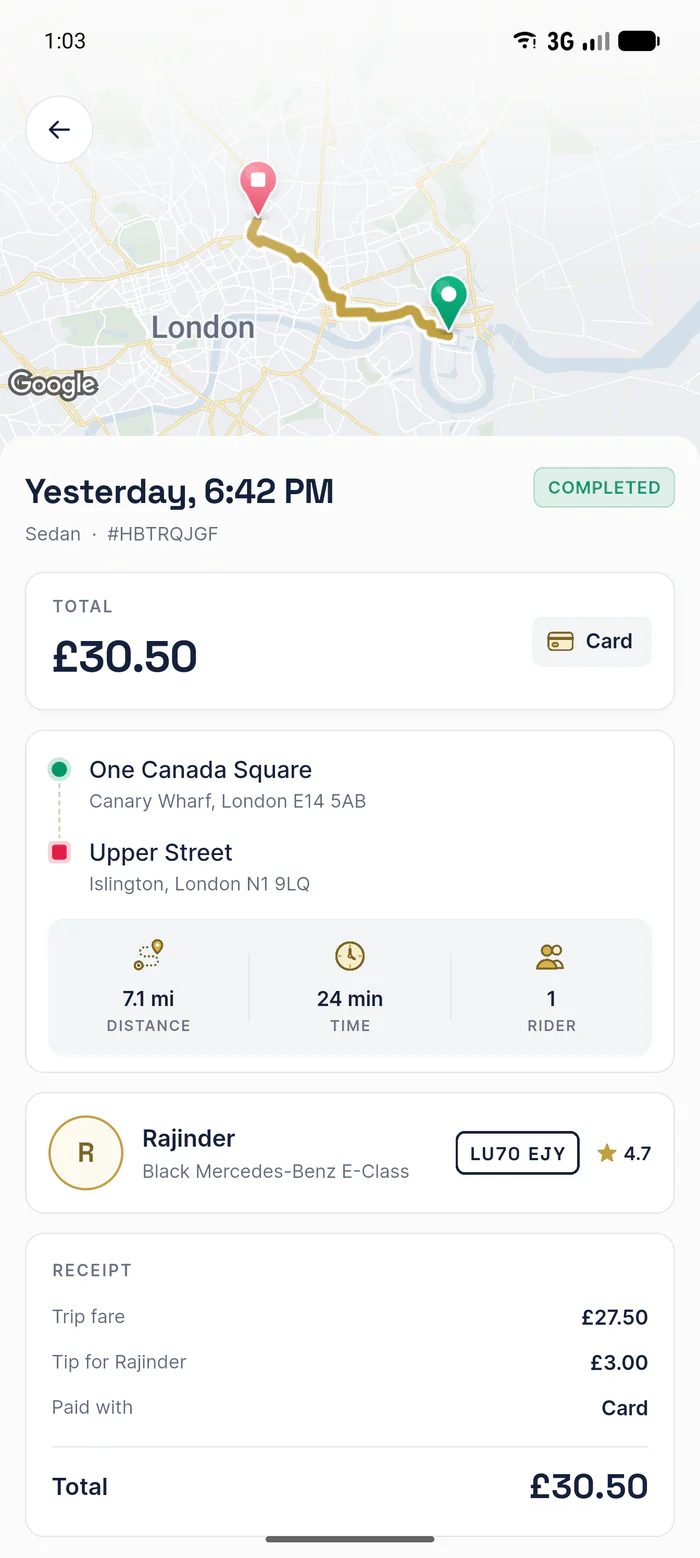
Ride detail
Route, fare, driver and the receipt, with Book this trip again.
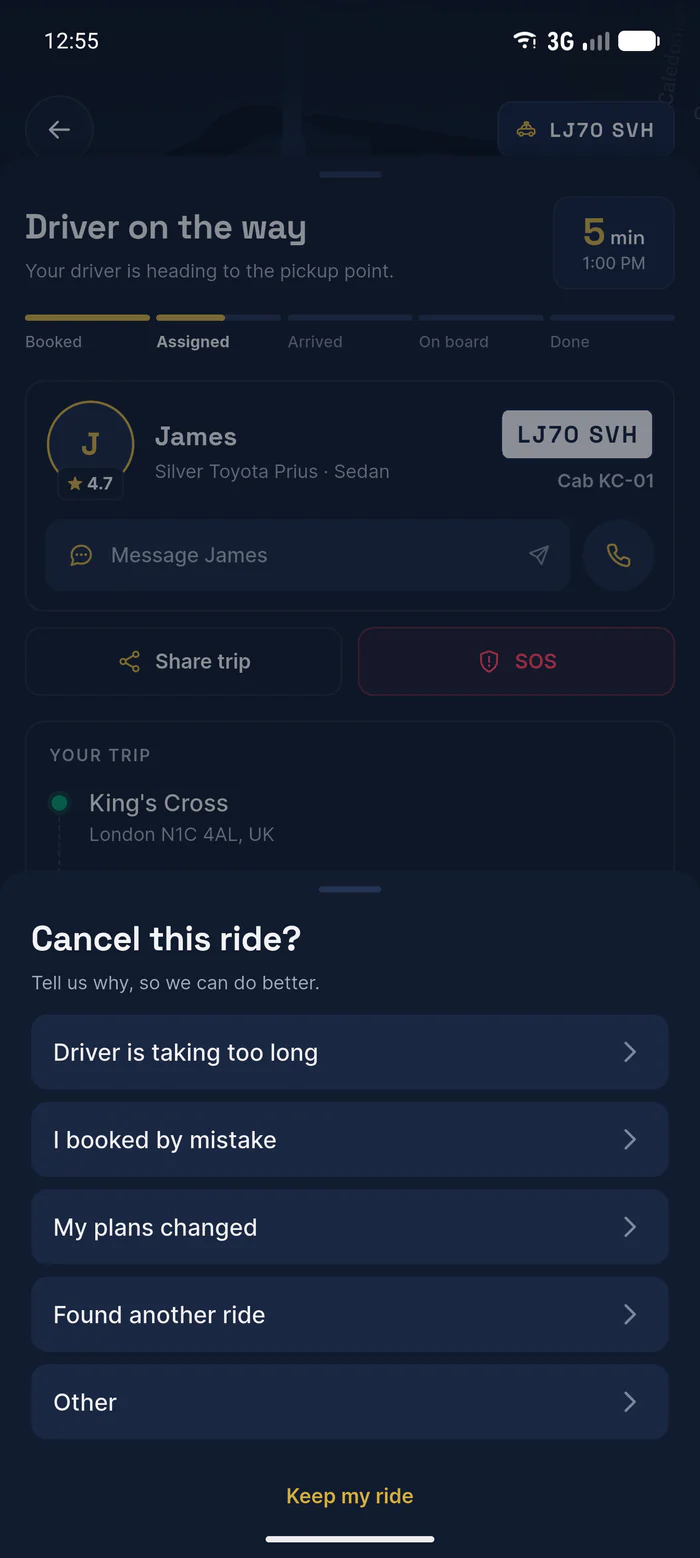
Cancel a ride
Plans changed? Cancel from the ride screen, here in dark mode.
Account, settings and help
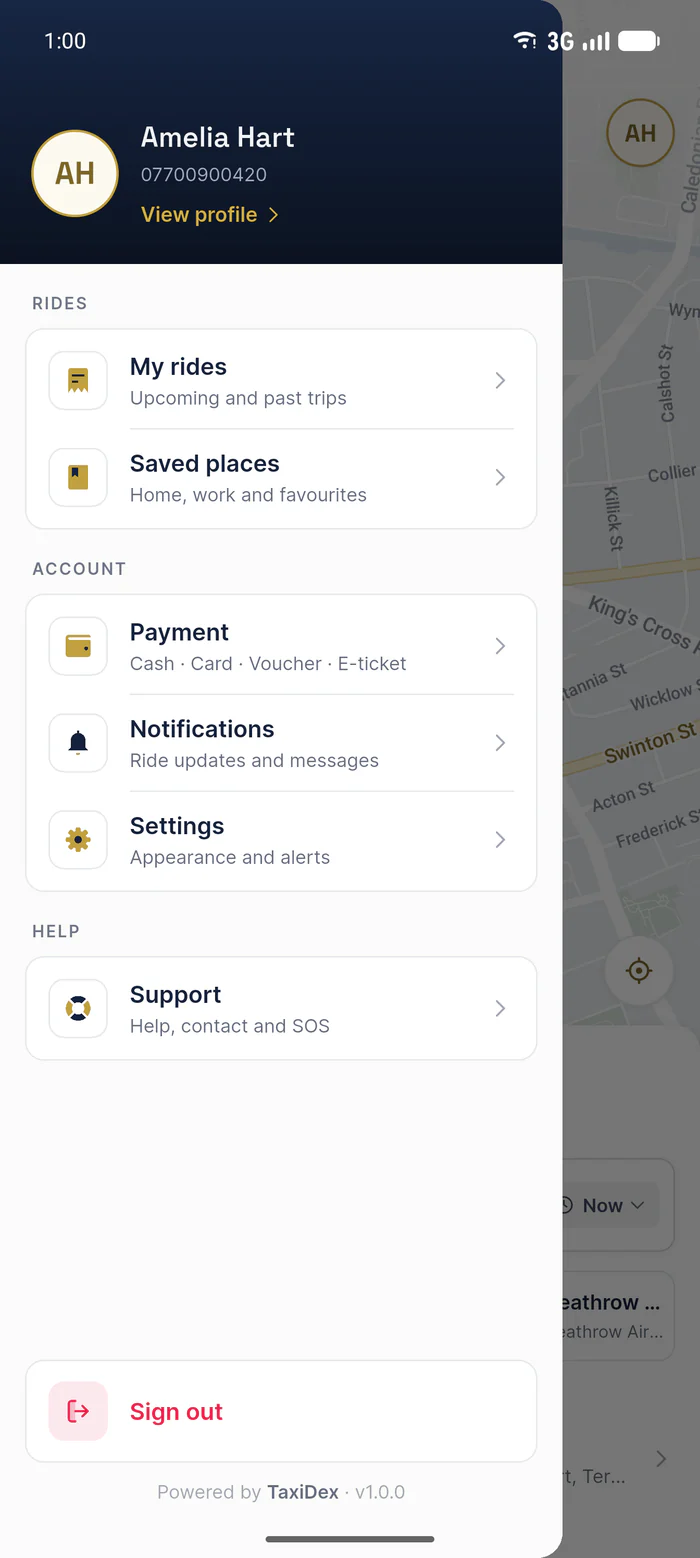
The menu
Rides, saved places, payment, notifications, settings and support.
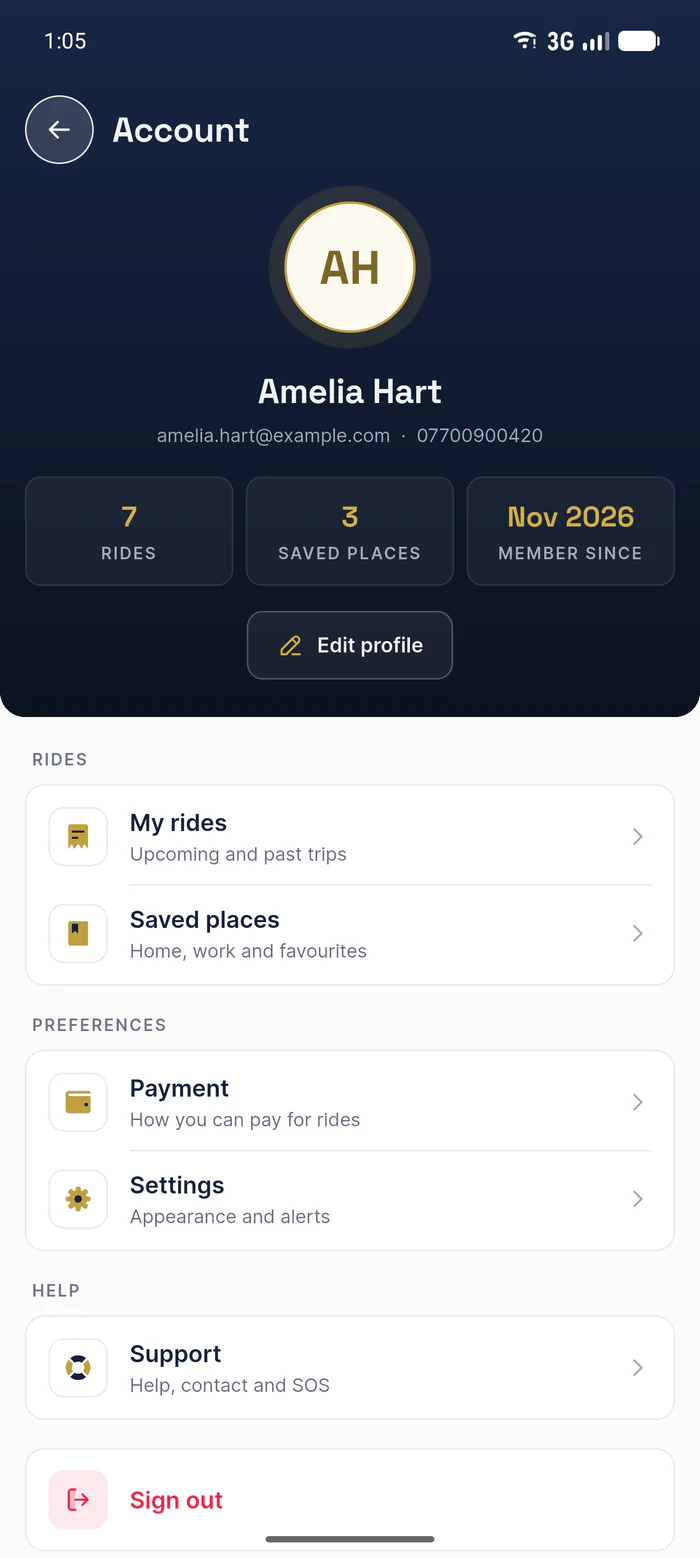
Account
Rides taken, saved places and the profile, with Edit profile.
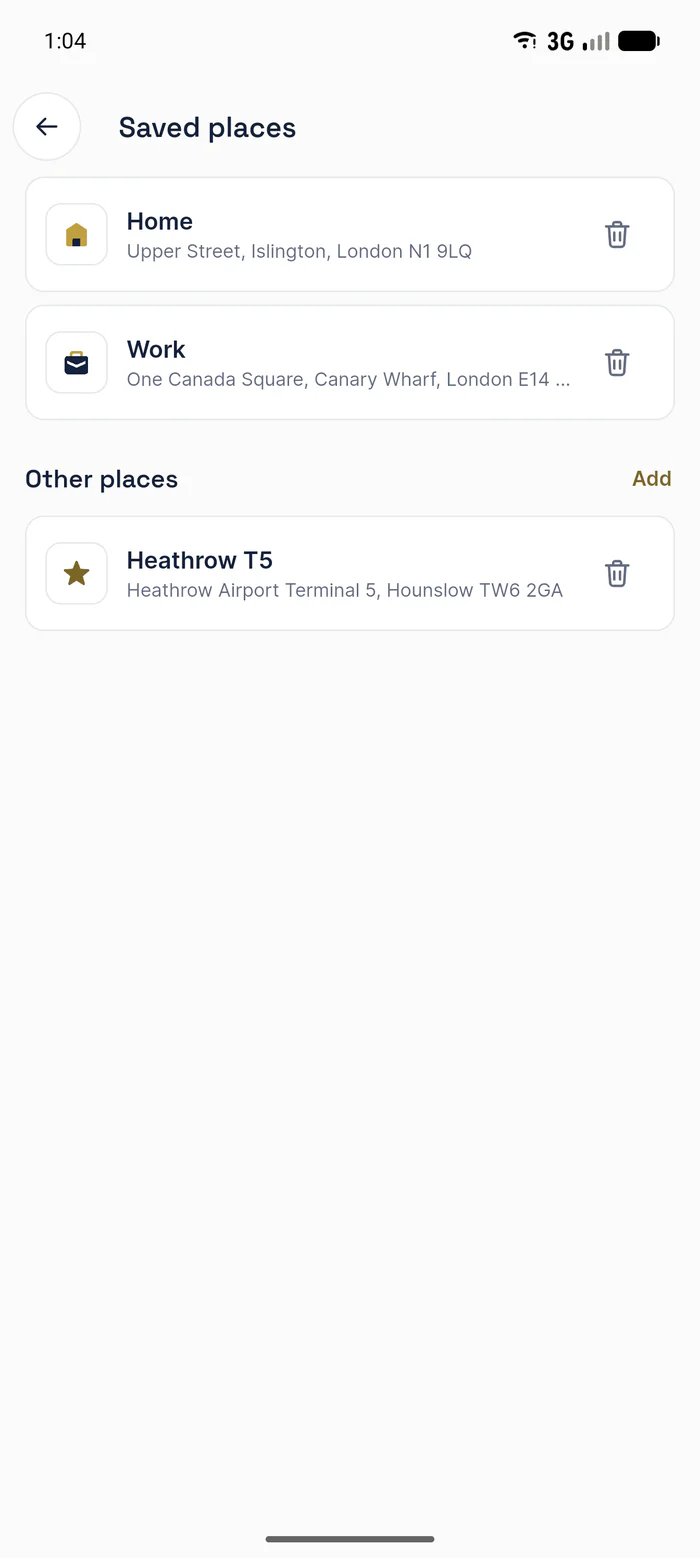
Saved places
Home, Work and any other place, saved once.
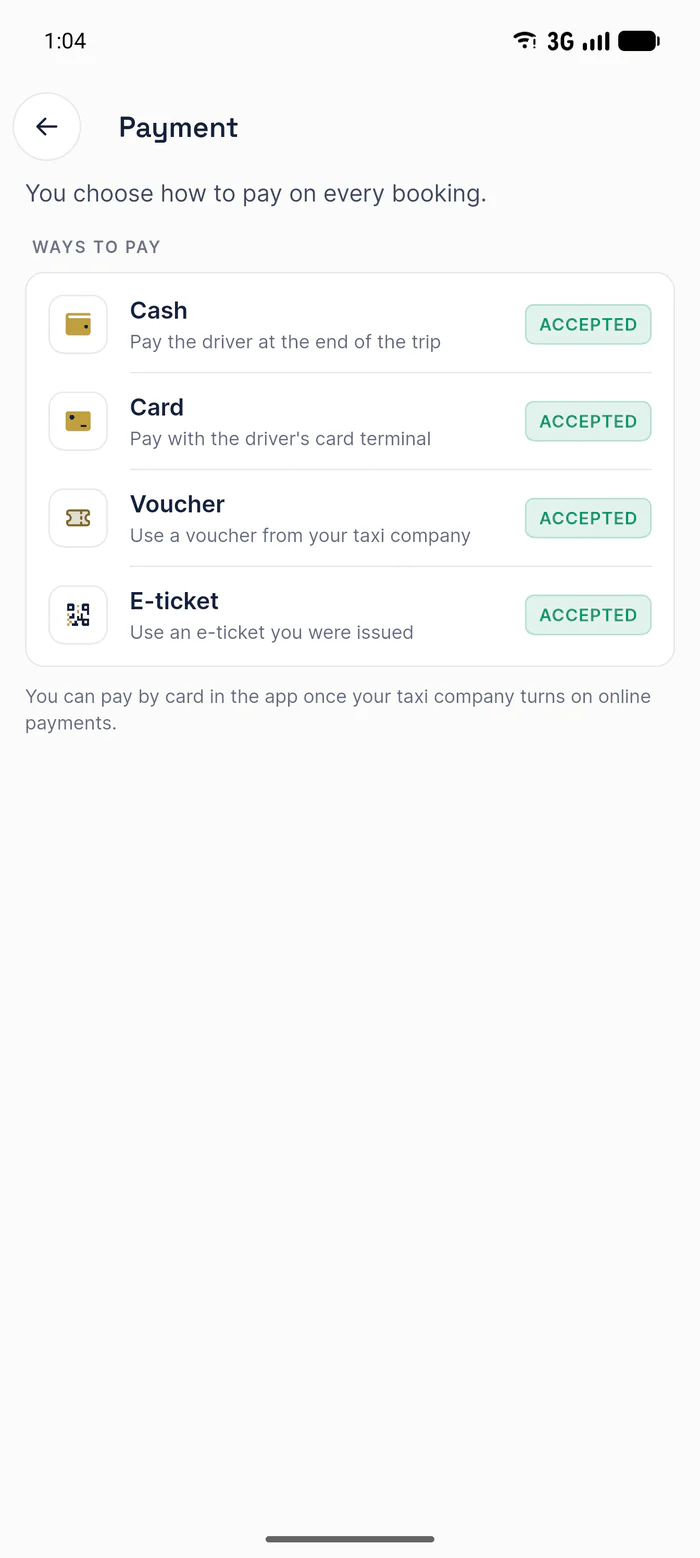
Payment
The ways your fleet accepts, chosen again on every booking.
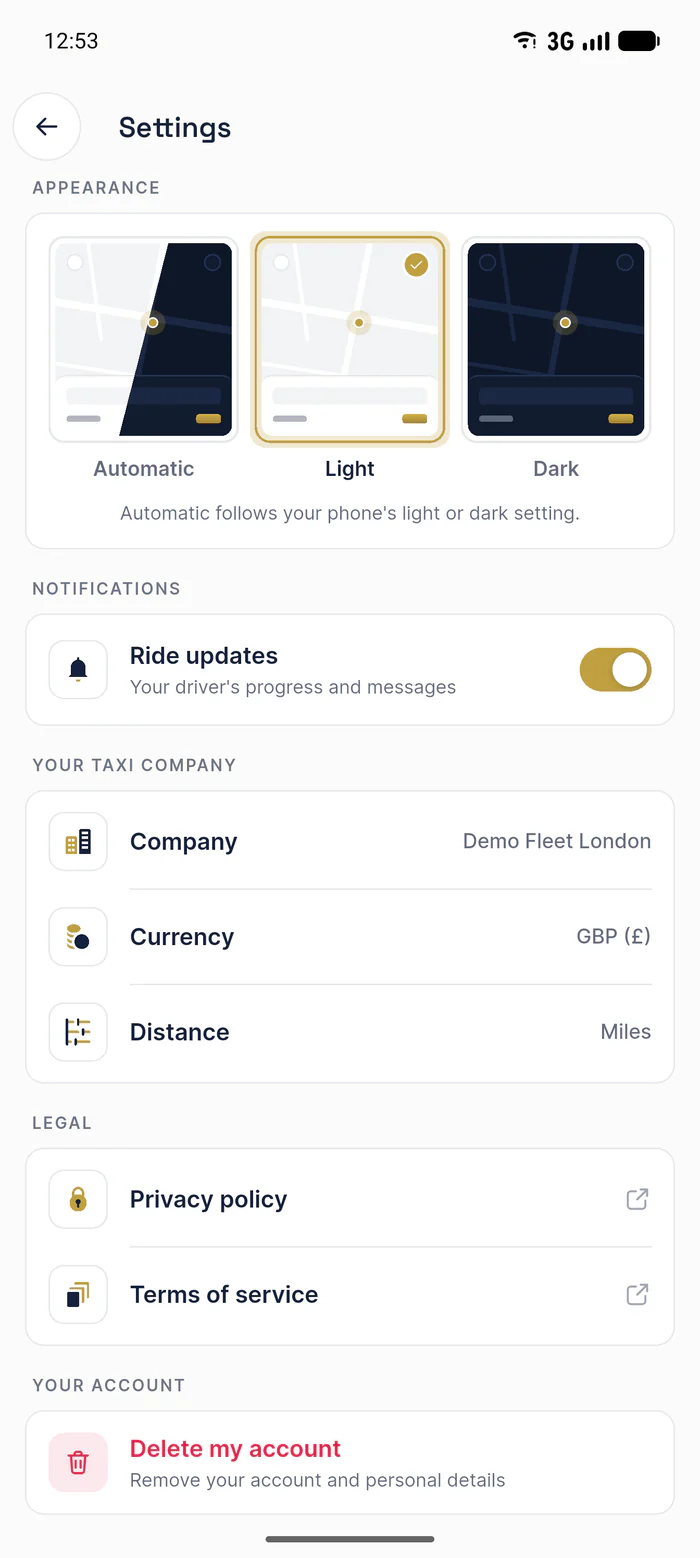
Settings
The look, ride alerts, your taxi company's details, legal pages and account deletion.
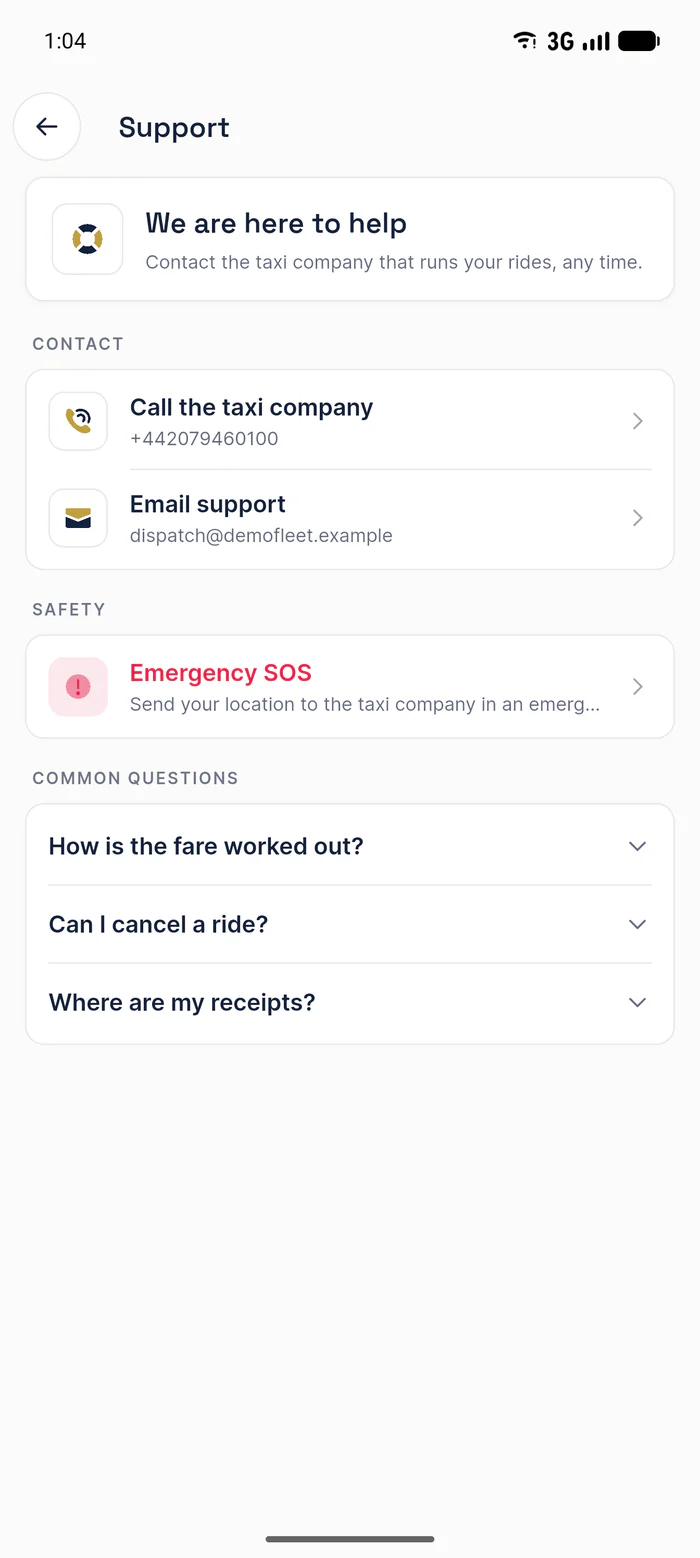
Support
Call or email your company, with answers to common questions.
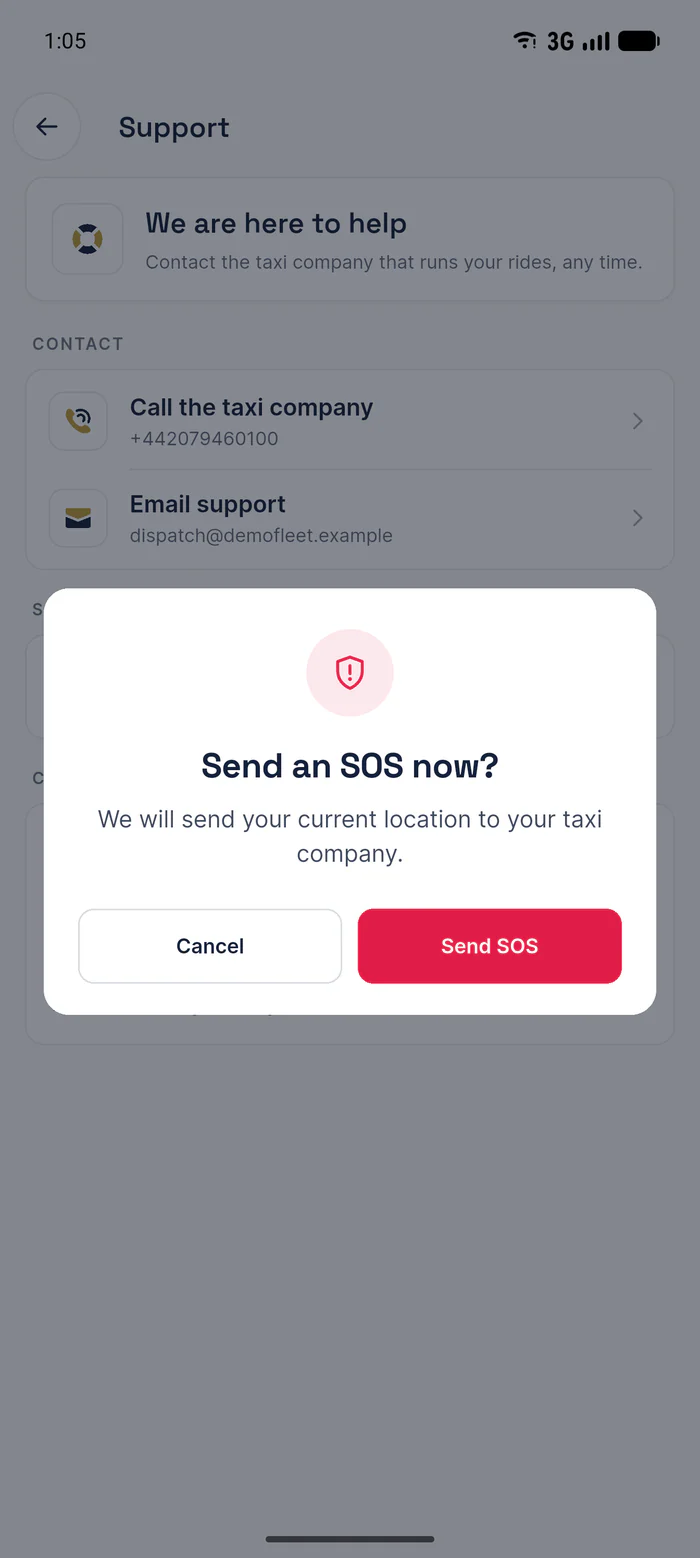
Emergency SOS
Asks once, then sends the passenger's location to your company.
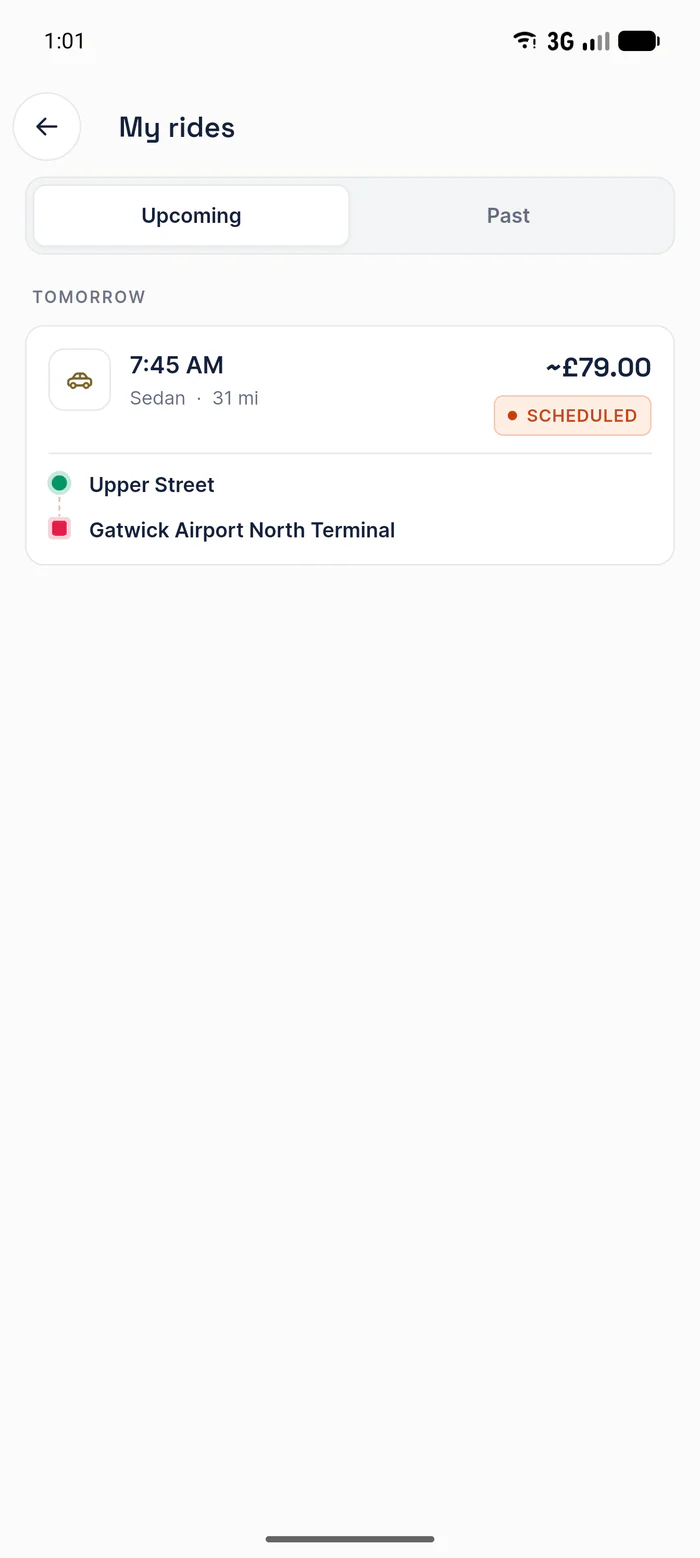
Booked for later
Scheduled rides wait under Upcoming until pickup.
Light, dark or automatic
Easy on the eyes, day and night
Passengers pick the look in Settings from small pictures of the app, or let it follow the phone. Every screen is drawn for both.
Light
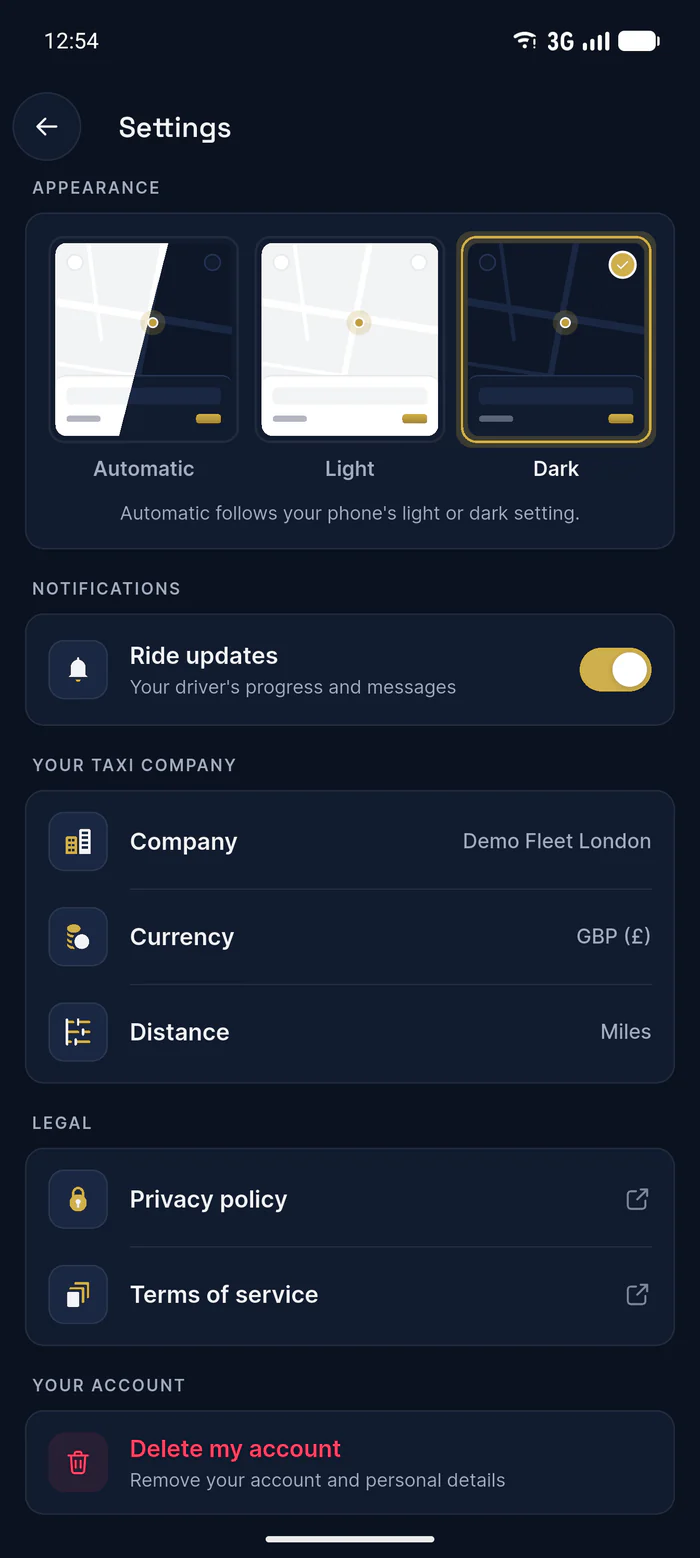
Pick the look
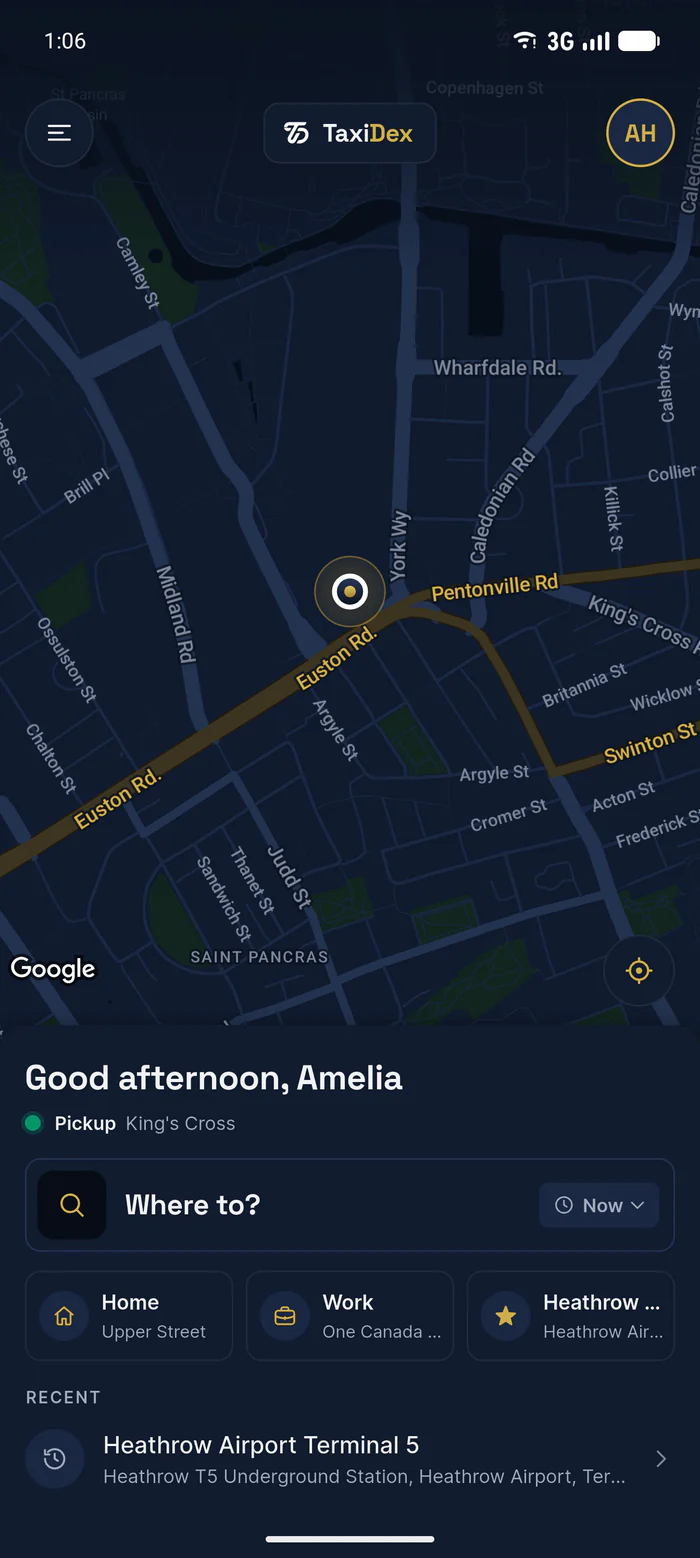
Dark
Phones and tablets
On a tablet, everything fits on one screen
Held sideways, the map takes one side and the booking the other, so the fare, the driver and the receipt are never below the fold.
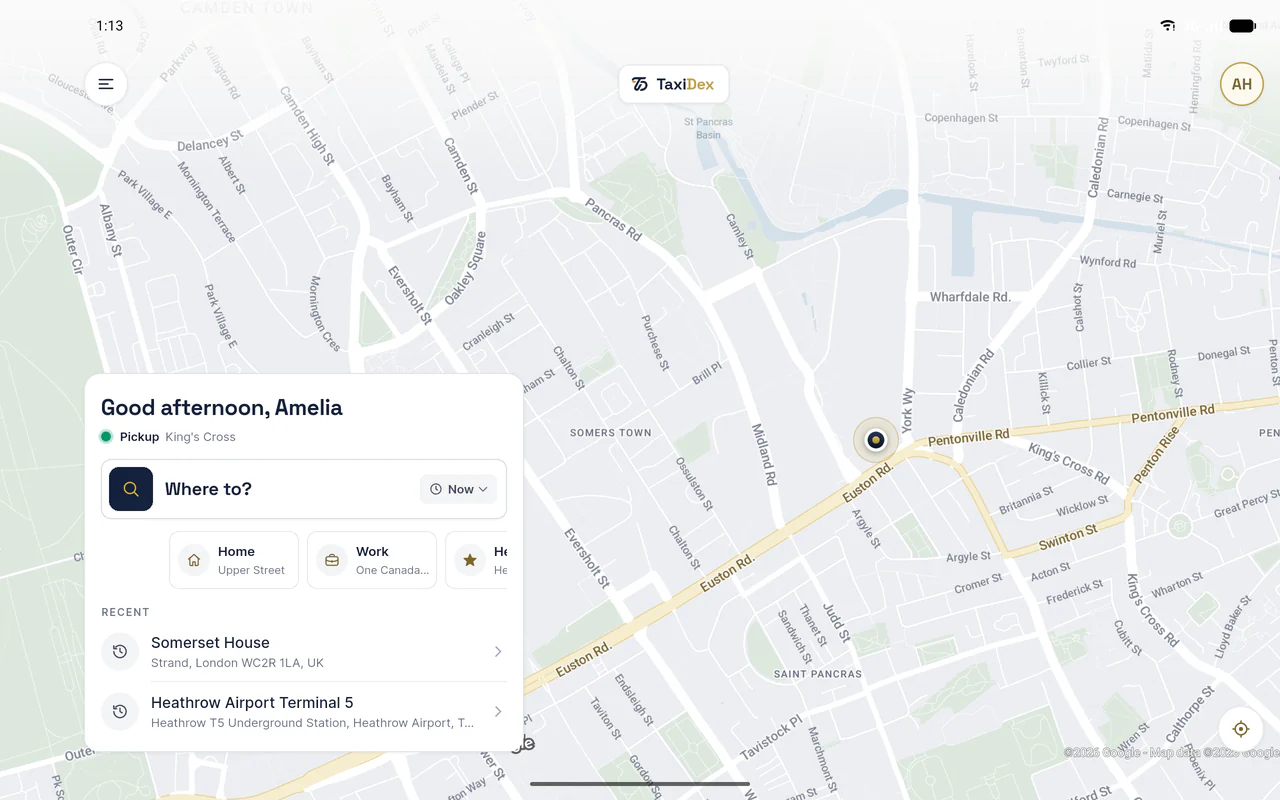
Where to? on a tablet
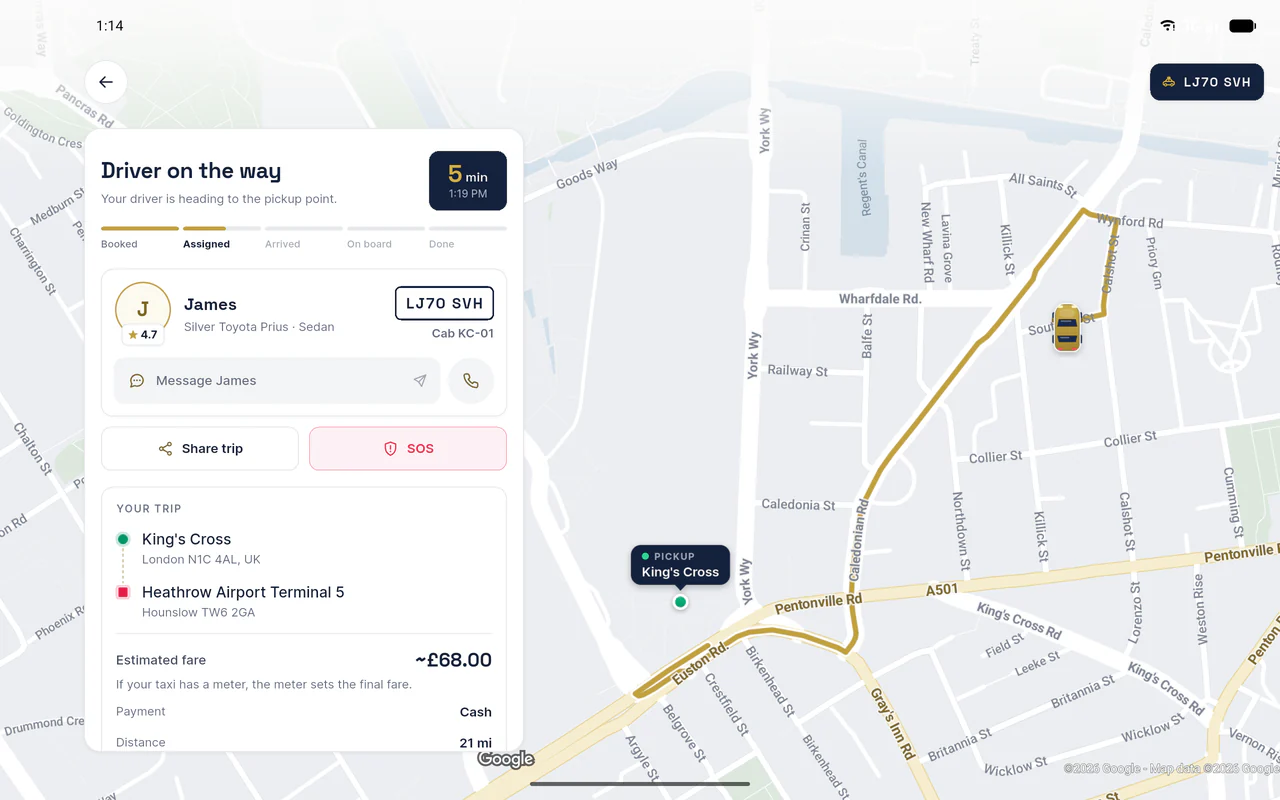
The driver on the way
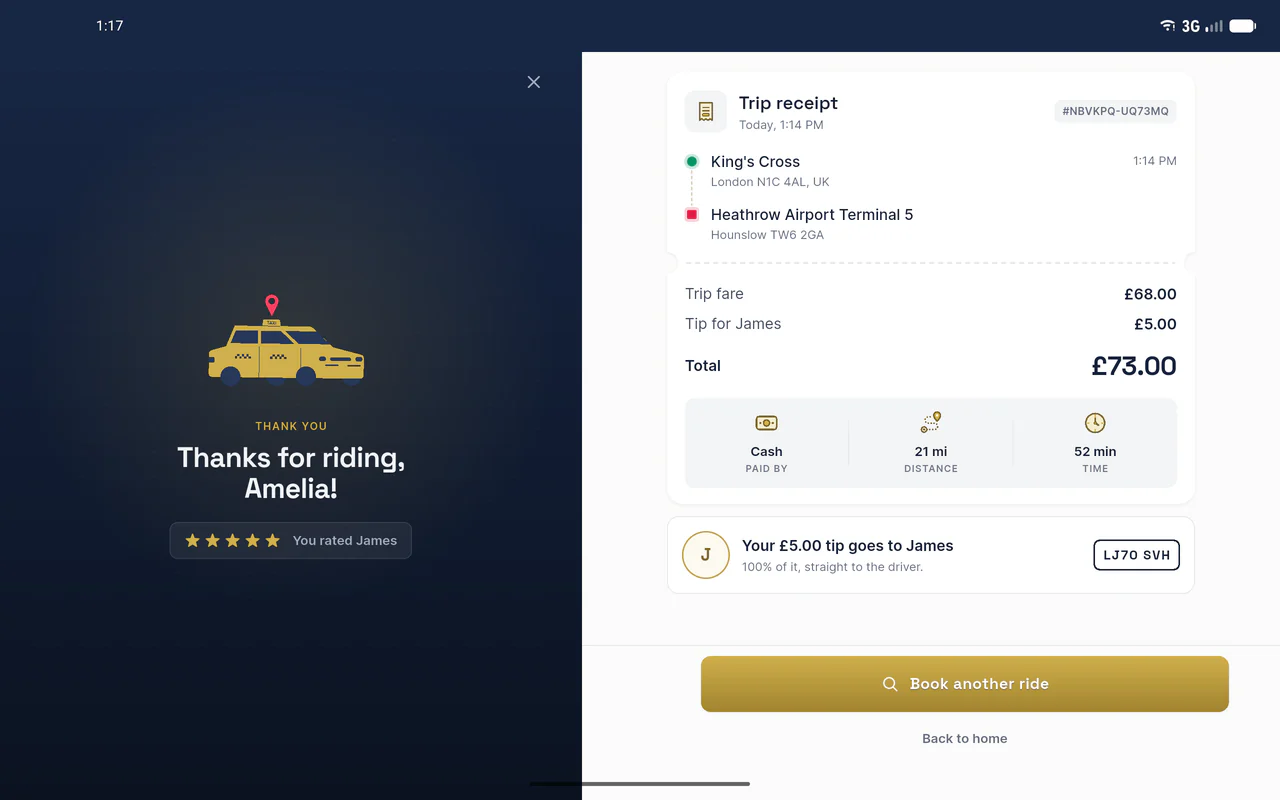
The receipt, all on one screen
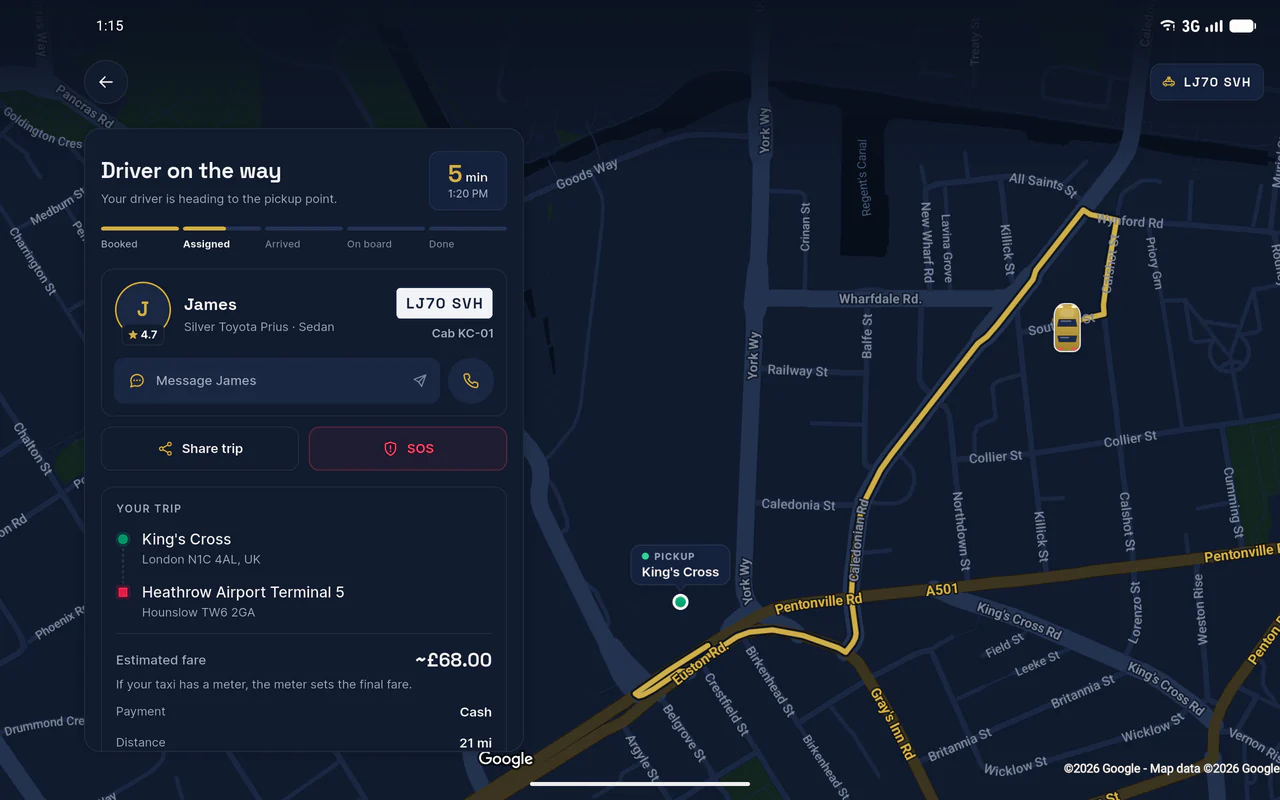
Dark, on a tablet
For the fleet
The passenger app is the front door to your dispatch
It is not a separate system. The app books into the same console your dispatchers work in, priced by your tariffs and run by your settings.

Your brand and your rules, set once in the console
- Bookings arrive as customer jobs. Every booking from the app appears in the dispatch console with its source, and is offered to drivers exactly like a job your team takes on the phone.
- Your prices, your currency. Fares come from the tariffs set in the console, in the fleet's currency and distance unit, so the price in the app is the price your drivers charge.
- You decide what passengers see. Whether the passenger sees the driver's name and the plate, and whether they can call the driver, the vehicle or nobody, is a fleet setting.
- Payment methods and tips are yours to set. The payment methods passengers can pick, and whether tipping is on, come from your settings, not from a default.
- Your office, in the app. The Support screen shows the phone number and email from your brand settings, so passengers reach your office, not us.
Your options
Start on Google Play today, or under your own name
The same app either way, booking into your console. The driver app your drivers use is TaxiDex Driver.
Ready today
TaxiDex: Book a Taxi
Free on Google Play. Passengers install it, enter your company code once and book your cars. Nothing for you to build or publish.
- Live on Google Play
- Your company code links it to your fleet
- Bookings land in your console
Under your brand
Your own booking app
The same app with your company name, logo and colours, and your code built in so passengers never type it. Published under your own developer account.
- Your name and logo in the store
- Your code built in
- We handle the build and the submission
For your drivers
TaxiDex Driver
One app for every fleet, kept up to date by us. Drivers sign in with the account their fleet gives them and see only their fleet's work.
- Job offers in one tap
- A taximeter in the phone
- Free to install
FAQ
Passenger app questions, answered
How do my passengers get the app?
From Google Play: they search for TaxiDex: Book a Taxi, or tap Get it on Google Play on this page. It is free. The first time they open it they enter your company code, and from then on it books with your fleet.
Where do passengers find our company code?
We give you your company code when your fleet is set up. Put it on your website, receipts and booking confirmations: that is where the app's own help tells passengers to look. With your own branded app the code is built in and passengers never type it.
Can the app carry our own name?
Yes. Besides TaxiDex: Book a Taxi, we build the same app for your fleet with your company name, logo and colours and your code built in, published under your own developer account. Your passengers do not see another company's brand.
Which phones and tablets does it run on?
Phones and tablets. On a tablet the map and the booking sit side by side. Install it from the store link on this page.
How do passengers sign up?
With their name, email address, mobile number and a password. The app sends a six-digit code to confirm the email. A forgotten password is reset the same way, with a new code.
How do passengers pay?
They choose cash, card in the car, a voucher or an e-ticket, whichever methods your fleet accepts, and settle with the driver. The app shows the price before booking and the final fare on the receipt; it does not take card payments itself.
Do bookings from the app show up in my console?
Yes. Each booking appears in the dispatch console as a customer job and is dispatched by your normal rules. Scheduled rides sit with your pre-bookings until it is time to dispatch them.
Can passengers delete their account?
Yes. In the app, Settings › Delete my account sends us the request, and taxidex.com/delete-account explains the steps. We delete the account and the personal details; records of the rides your fleet ran stay with you for as long as the law requires.
Can passengers book without installing an app?
Yes. The TaxiDex web booker puts the same booking on your own website, for passengers who book once or do not want an app.
How much does a white-label passenger booking app cost?
With TaxiDex it is not a separate fee. Your branded passenger app is part of the per-driver rate: $14 (£11) per active driver a month for 1–20 drivers, $11 (£9) for 21–100 and from $9 (£7) above 100, with a £79 (about $100) monthly minimum. Building and publishing the app under your developer account is covered by the one-time setup, quoted on your demo call. TaxiDex: Book a Taxi on Google Play is free for passengers.
What is the best white-label passenger booking app for a taxi company?
One that is wired to your dispatch rather than bolted on. Check that the price shown comes from your own tariffs, that bookings land in your dispatch queue without re-typing, that scheduled rides wait with your pre-bookings, and that the app is published under your account, not the vendor's. The TaxiDex app does each of these; every screen on this page is the real app.
How does the TaxiDex passenger app compare with Autocab's and iCabbi's?
We only describe our own app here. It is the same app on Google Play and under your brand, it prices from your tariffs, and every booking goes into the TaxiDex dispatch console. For dispatch, pricing and migration side by side, see our Autocab and iCabbi comparison pages, and ask each vendor to show you their passenger app booking a real ride.
Book a ride in the app, and watch it arrive in your console
Half an hour. We set up your zones and fares live, book a ride from the passenger app and run it end to end with a driver.
